A client was experiencing the error “Install Microsoft Word” on the exception report for lots of statements when emailing a high volume of customer statements when running Dynamics GP 2013.
This mentioned the exact same issue and a user named Pam Robertson posted to advise of a fix in later versions of Dynamics GP.
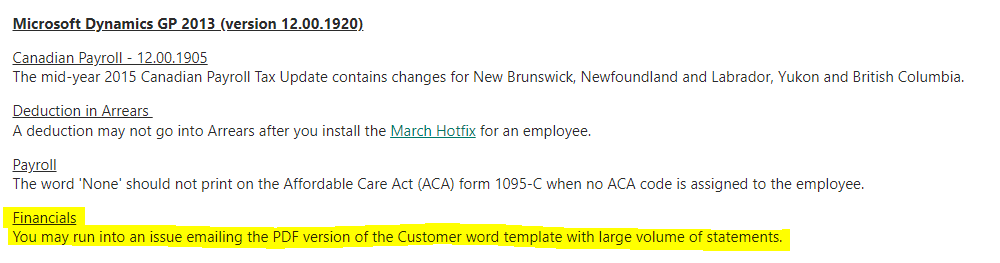
I was curious to find this in the Microsoft documentation so I tracked down the fix list for Dynamics GP 2013 and a fix is indeed listed as per below for version 12.00.1920
I’ve since installed this at the client and can confirm it fixed the issue!
Therefore if you are on Dynamics GP 2013 (version 12.00.1920) or earlier and running into this issue applying this service will fix the issue.
A very quick post but I thought it worth putting out there in case anyone else encounters this issue and needs the evidence to show this is fixed in a later version of Dynamics GP.
Over the last few days I’ve been working through a vendor payment run in Dynamics 365 Business Central and thought it useful to document my journey.
In this step by step post I’ll be generating payments using the “Suggest Vendor Payments” feature and then also going through the process of removing an invoice from a payment as you would in real life.
Setup
To keep things simple before I started I created two vendors, V00080 and V00090, and posted a couple of documents on each vendor. I’ll use these as the basis for my walk through.
On the vendor I set the “Payment Method” as “Cheque” as per below (I’ll likely look at another post for EFT\BACS in the future)
Setup of one of the Vendors I created for my walk through
The documents I posted onto the vendors created the following vendor ledger entries which I’ll be working with:
As you can see I have two invoices on vendor V00080 with a total of £180.00 and two invoices and one credit note on V00090 giving a total of £240.00.
Payment Journal
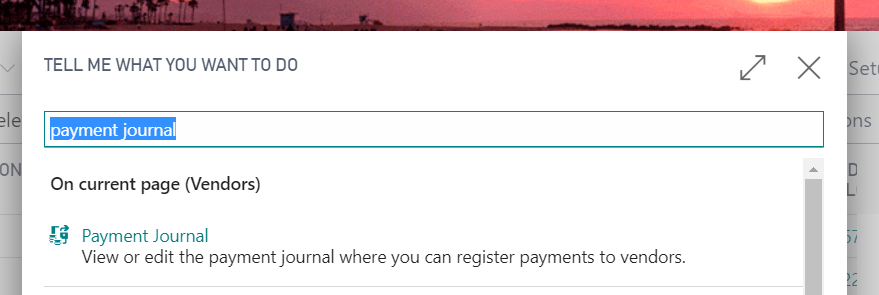
In order to pay these documents I’ll be using the “Payment Journal” which can be found by clicking the search option and typing “Payment Journal”
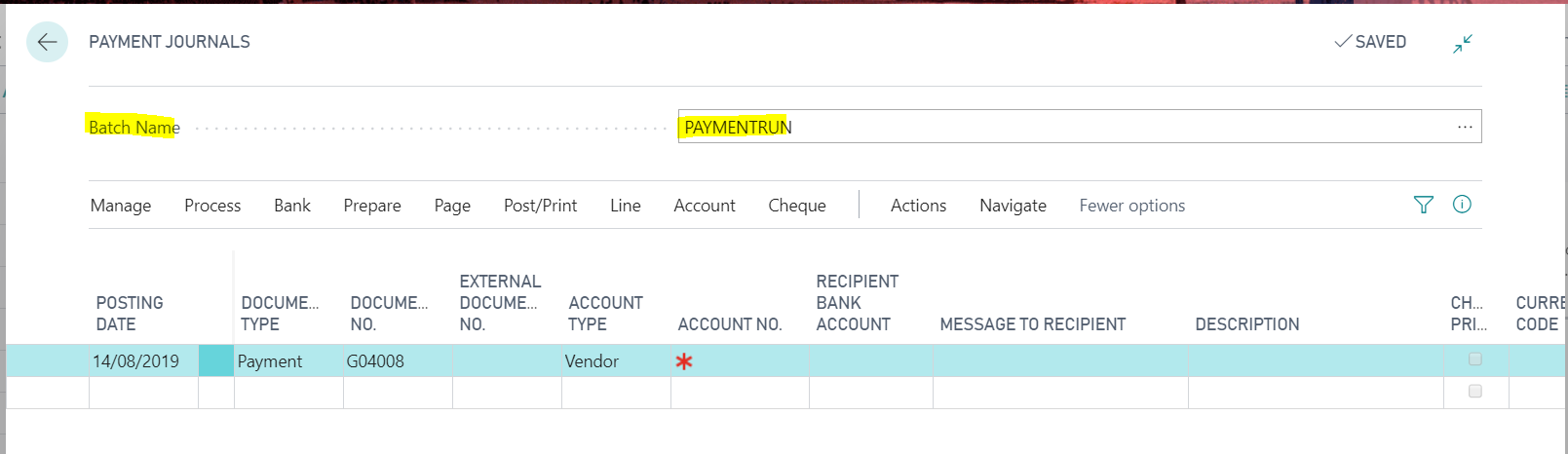
Once in the “Payment Journal” page the first thing to select is the batch. As you can see I’ve selected one called PAYMENTRUN
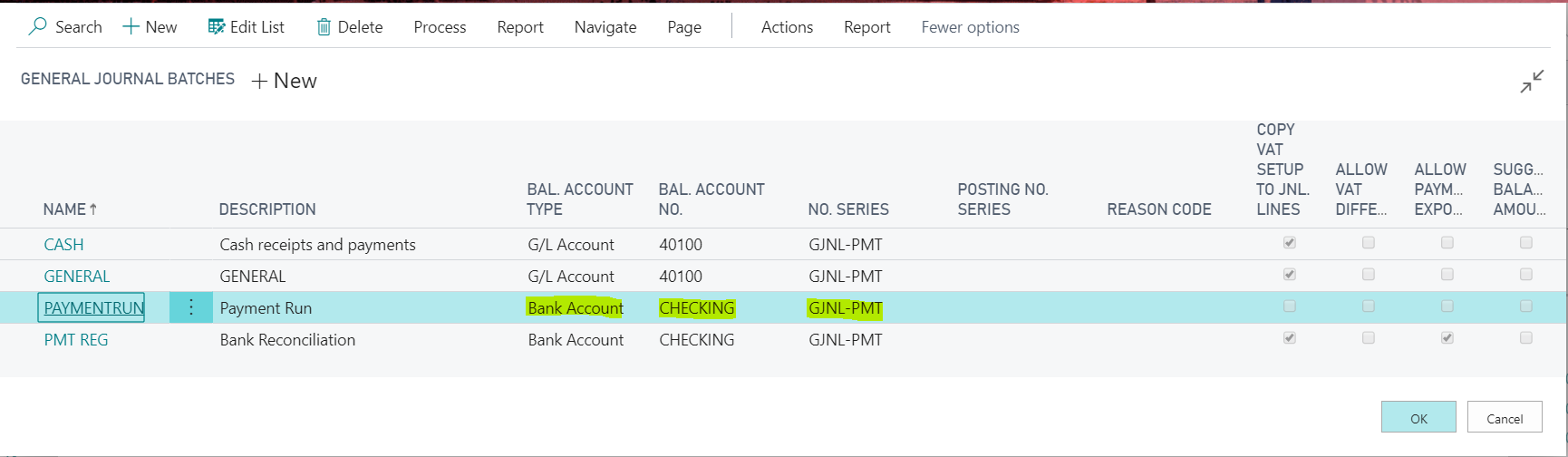
If we drill down on the batch you can see it determines the balancing account and also the number series to use. I’ve select “Bank Account” as the balancing account so the system will create “Bank Account Ledger Entries” that I can later reconcile via the bank reconciliation.
Once we have decided on the batch we can turn to creating the payments.
Suggested Vendor Payments
The process that completes the initial swoop looking for transactions to pay based on a set of criteria is “Suggest Vendor Payments”
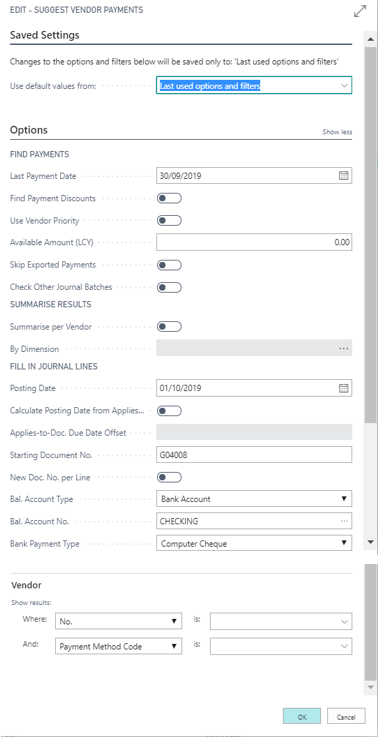
On clicking “Suggest Vendor Payments” you are presented with the following options
I’ll focus on the ones I’ll be using as part of my payment run for vendors V00080 and V00090
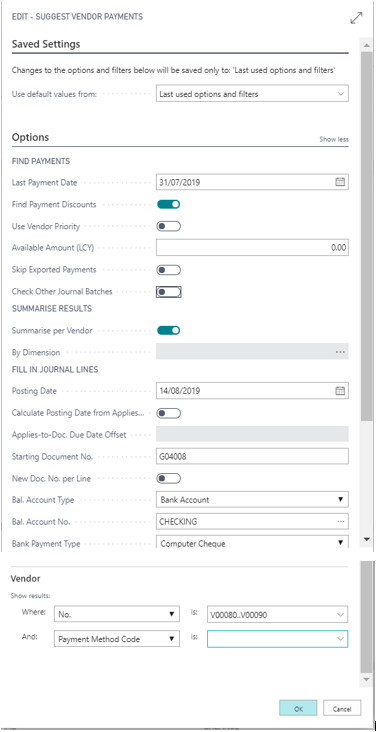
Last Payment Date:- This is the due date cut off. I’m going to set this to 31/07/19 as I don’t want to pay any invoices after this date.
Find Payment Discounts:- I’m going to switch this on because if there are any payment discounts, I want the payments that are created to reflect them.
Summarise per Vendor:- I’m going to switch this on because I only want to create one payment journal entry per vendor rather than one entry per invoice I’m paying.
Posting Date:- I’m going to set this to 14/08/19 as this is the date I’ll be paying the invoices.
Balance Account Type:- I’m going to set this to “Bank Account” as I want the system to create bank account ledger entries so I can reconcile the payment via bank reconciliation.
Bal Account No:- I’m selecting “CHECKING” as this is the bank I’ll be paying from.
Payment Type:- I’m selecting “Computer Cheque” as on this occasion I’ll be printing cheques.
Vendor No:- I’ll be entering a range of V00080..V00090 as I only want to pay those two vendors
Therefore my options are:
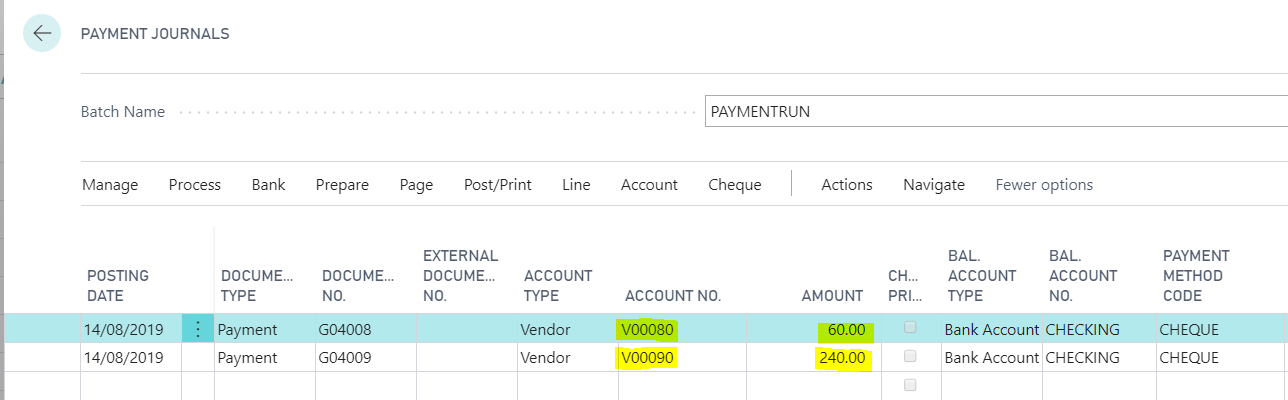
When i click OK I get the following payments generated for me.
Now the system has generated the payments we can go ahead and tweak them for what we actually want to pay.
Editing the Payments
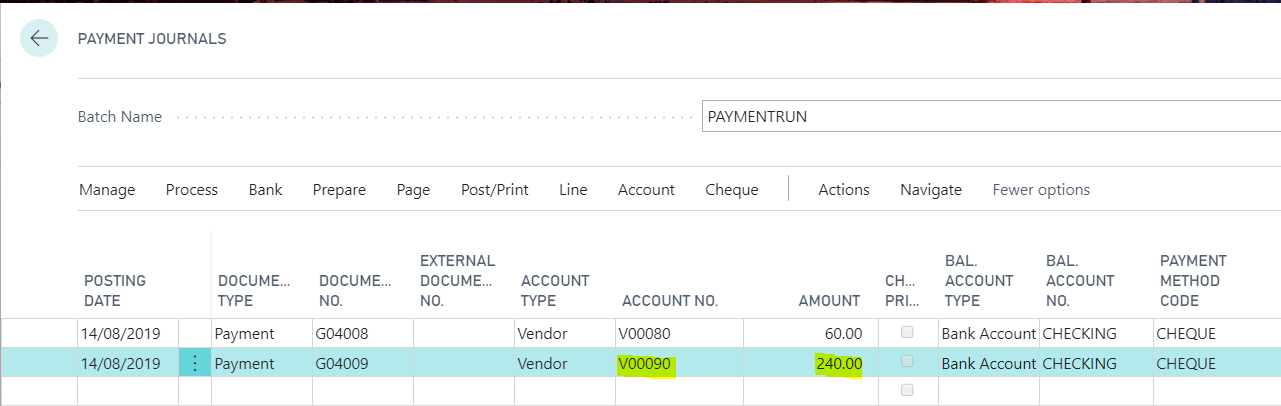
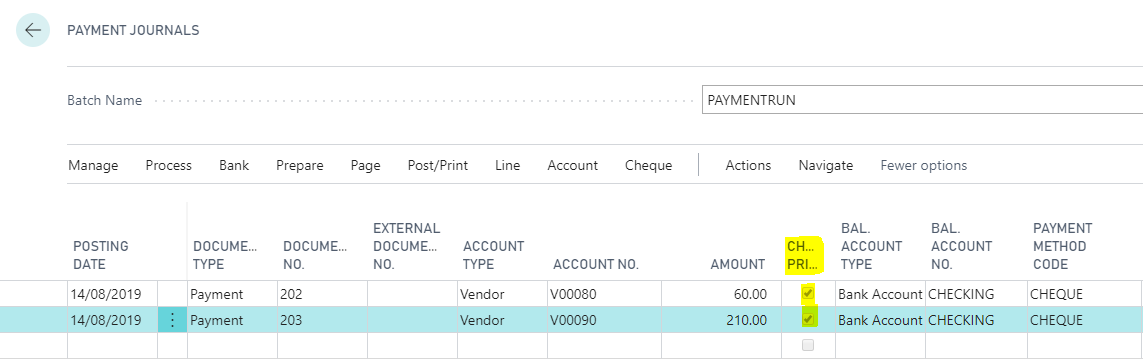
As you can see the system has generated a Payment for Vendor V00080 of £60.00 and a Payment for Vendor V00090 of £240.00
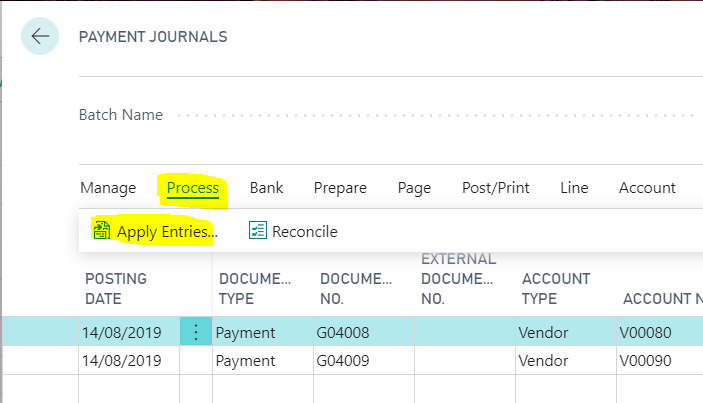
To view the invoices that have been applied on the payment you click “Process > Apply Entries”
If I select this option on the payment of £60.00 on Vendor V00080 you can see the invoices applied:
As you can see above the system has applied INV00002 but hasn’t applied INV0001. This is because INV0001 has a due date of 01/08/19 which falls outside of the due date cut off I entered into the “Last Payment Date” field in the “Suggest Vendor Payments” window. I’m happy with this so I’ll click ok and move to the next payment.
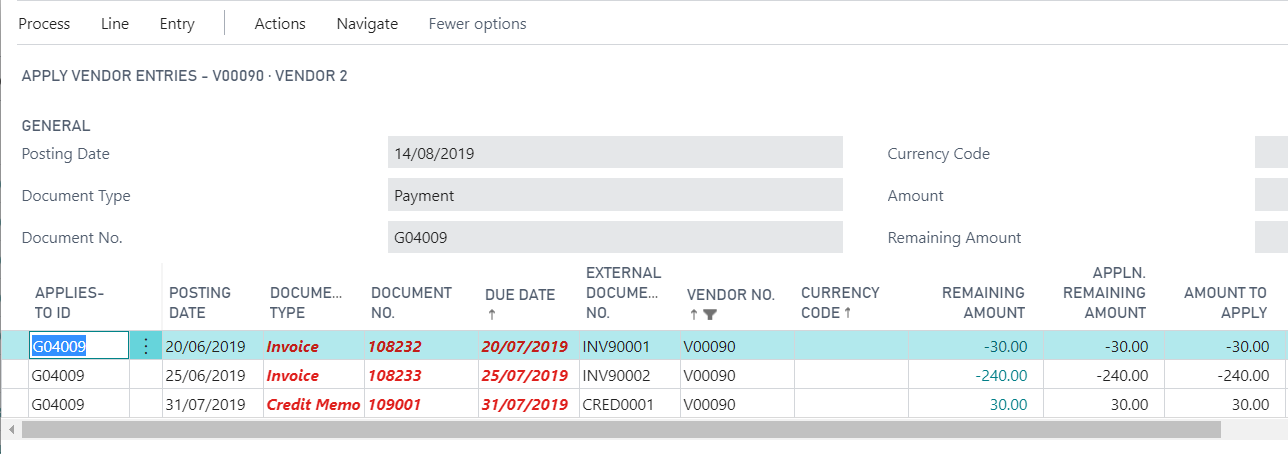
If I highlight the payment for Vendor V00090 and click “Process > Applied Entries” I get the following screen:
The first thing to note is the system has included the credit memo on the payment run. This is great and exactly what I’d expected.
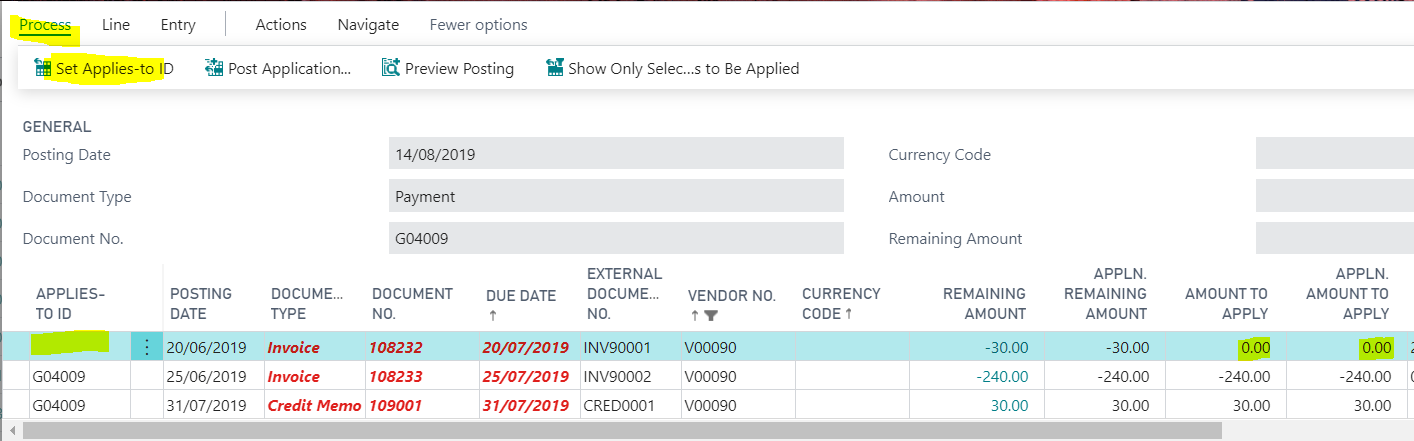
Next I’m going to remove INV90001 from the payment run as I’m not ready to pay this Invoice just yet. To do this I’ll highlight the line and click “Process > Set Applies-to-ID”. Doing this blanks out the “APPLIES-TO-ID” field and also sets the “AMOUNT TO APPLY” and “APPLN. AMOUNT TO APPLY” to £0.00 on the invoice as per below
This all seems fine however when you click OK it would appear the payment amount hasn’t been updated on the Payment Journal to reflect the change I made?
It would seem I have to manually update this or the system would still post a payment for £240.00 onto the account. i.e. the posted payment would remain open and there would be an amount remaining of £30.00 on it.
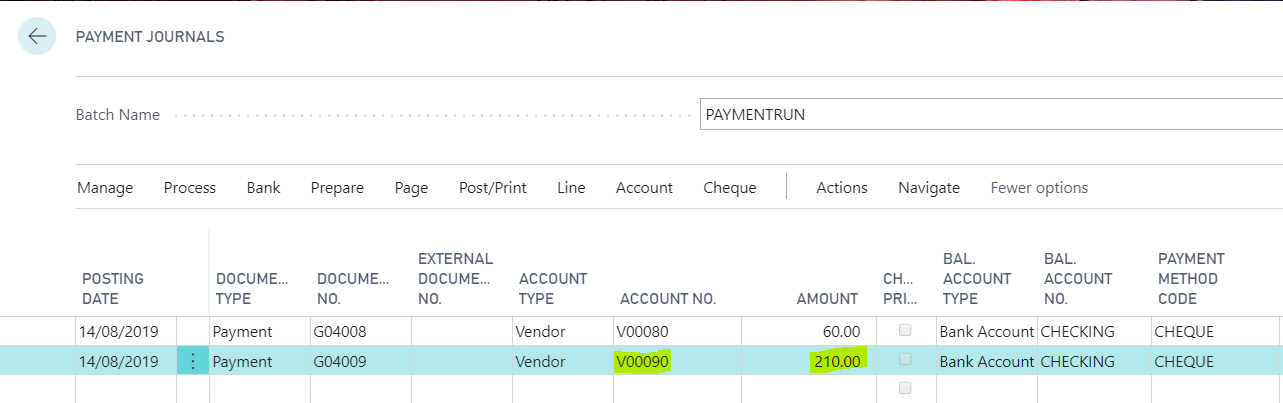
I therefore edit the payment amount on the header to £210.00 to reflect the new payment amount:
Printing the Cheques
To print the cheques you just need to select “Cheque > Print Cheques”
On clicking this option you are presented with the following options:
I’m going to leave all the defaults and click “Print” and select my printer.
After doing this the flag “Cheques Printed” is checked.
Posting the Payments
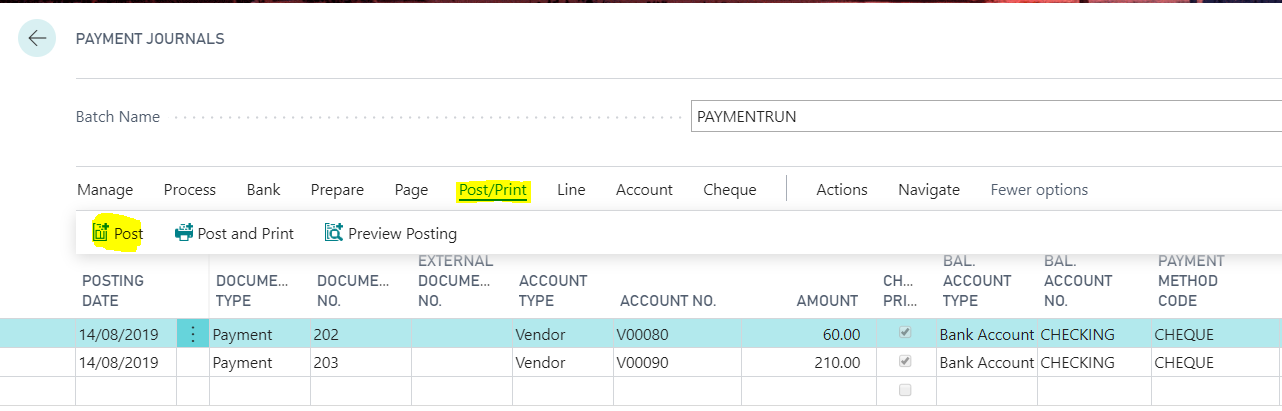
Once you have printed the cheques and are ready to post you can just click “Post\Print> Post” as per below
This will create the Vendor Ledger Entries and also Bank Account Ledger Entries as our “Balancing Account Type” is set to “Bank Account”.
If I now view the “Vendor Ledger Entries” I can see the payments have been posted and applied to the invoices.
Conclusion
I hope you have found this write up on the payment run useful. I’m sure I’ve left out some options that can be used and being new to the Dynamics 365 Business Central \ NAV world I’d be very interested to hear of other peoples experiences.
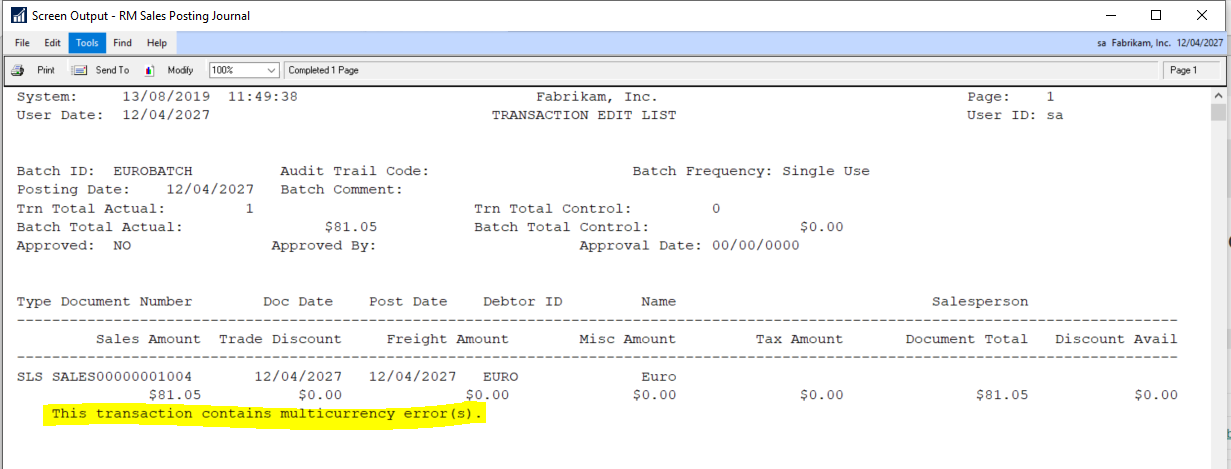
A client reported the following error on the posting journals when trying to post both Receivables and Payables Transactions. “This transaction contains multi-currency error(s)”
This transaction contains multicurrency errors
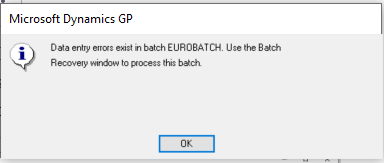
This was followed by a message informing them that the batch had gone to recovery.
I checked the usual things like exchange rate expiration dates however everything seemed fine.
The client then explained they had overwritten some exchange rates accidentally but had since changed these back however the error persisted.
I delved a little deeper using SQL and noticed that although the dates and rates were the same the TIME1 value in the MC020102 table for the transactions differed slightly from the TIME1 value in the DYNAMICS..MC00101 for the exchange rate in question.
Affected transaction showing differing TIME1 value from setup
As a test I changed one of the transactions by updating the TIME1 value in the MC020102 table to match the relevant TIME1 row in MC00100 using the script below.
UPDATE MCTRX
SET    MCtrx.time1 = MC.time1
FROM   mc020102 MCTRX
       INNER JOIN dyn2018r2..mc00100 mc
               ON mc.exgtblid = MCTRX.exgtblid
                  AND mc.xchgrate = MCTRX.xchgrate
                  AND mc.exchdate = MCTRX.exchdate
WHERE  MCTRX.docnumbr = 'SALES00000001004'
I then printed an edit list of the batch and the error had gone.
Now I knew how to fix the issue I realised I could also resolve this by just opening the transactions in the entry window and re-selecting the exchange rate however there were 1000’s of affected transactions so I used the script below. (this was affecting all multi currency transactions in WORK batches so I just had to filter on DCSTATUS)
UPDATE MCTRX
SET    MCtrx.time1 = MC.time1
FROM   mc020102 MCTRX
       INNER JOIN dyn2018r2..mc00100 mc
               ON mc.exgtblid = MCTRX.exgtblid
                  AND mc.xchgrate = MCTRX.xchgrate
                  AND mc.exchdate = MCTRX.exchdate
WHERE  mc.time1 <> MCTRX.time1
       AND DCSTATUS = 1   --add this so only WORK trx are affected
After running this script all sales transactions posted fine.
Next I turned to the payables transactions which just involved a small tweak to the original script and also an update to a different table to correct currencies for the multi currency payables payment batch header.
--First fix Payables multi currency trx

UPDATE MCTRX
SET    MCtrx.time1 = MC.time1
FROM   mc020103 MCTRX --Changed to MC020103 for payables trx
       INNER JOIN dyn2018r2..mc00100 mc
               ON mc.exgtblid = MCTRX.exgtblid
                  AND mc.xchgrate = MCTRX.xchgrate
                  AND mc.exchdate = MCTRX.exchdate
WHERE  mc.time1 <> MCTRX.time1
       AND DCSTATUS = 1

--Also fix the batch header currency values for payment batches

UPDATE batch
SET    batch.time1 = mc.time1
FROM   mc00500 batch --batch header multi currency table
       INNER JOIN dynamics..mc00100 mc
               ON mc.exgtblid = batch.exgtblid
                  AND mc.xchgrate = batch.xchgrate
                  AND mc.exchdate = batch.exchdate
WHERE  mc.time1 <> batch.time1
Once I’d ran through all this the transactions posted fine.
Hopefully this will help someone in the future who may face a similar issue however always remember to have a good backup of your data before running any SQL scripts and test whenever possible.
Thanks for reading!
Thinking of making the move to Business Central? We can help