Introduction
If you use the Standard Costing method for your items, then on occasion you will want to update it to reflect your current costs. For example the standard cost might be factoring in duty and freight costs. As these fluctuate the standard cost might need revising.
In this post I’ll cover changing the Standard Cost directly on the Item Card and some important considerations to be aware of when doing so. 😊
Changing the Standard Cost on the Item Card
One method you could use when changing your standard cost is to simply change it on the Item card. However before doing this we must understand the outcomes of this.
In my example below I have Item 1074 which has a standard cost of £10 and I have 5 in stock. I’m going to change this to £12 and post an Item Journal to register some more inventory at the new standard cost.
On changing the Standard Cost I’m prompted with the message below:
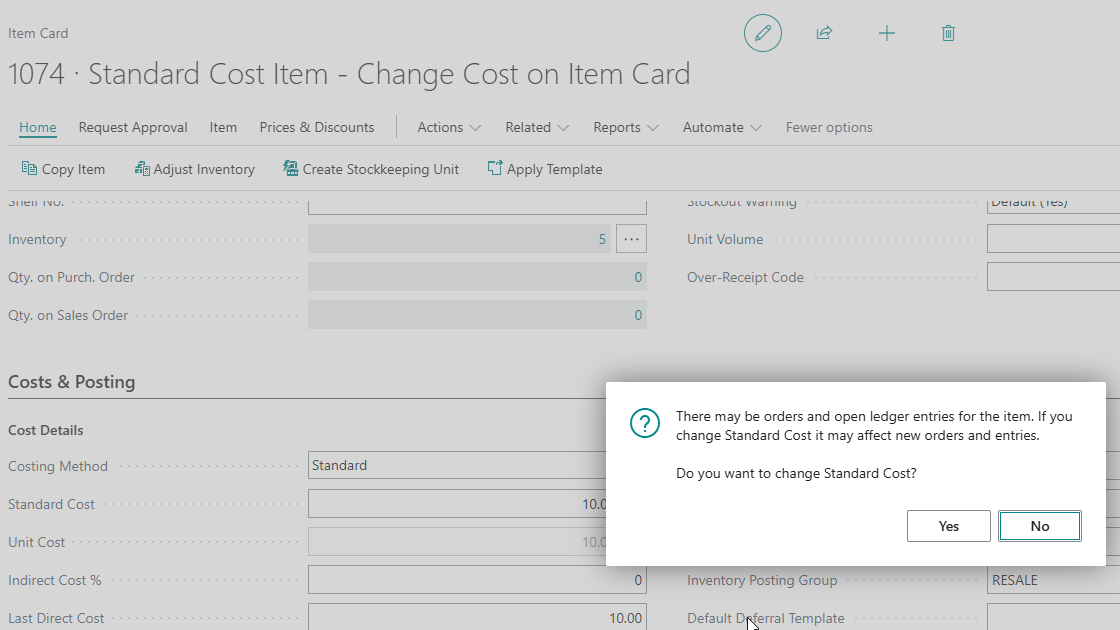
This is giving me a clue as to a potential issue. The message states changing the Standard Cost will affect new orders and entries. So how will the change affect existing inventory? We’ll come back to that shortly 😊.
I’ve selected “Yes” and I’ll now go to the “Item Journal” and post some additional inventory.
I enter the Item Number and at first glance the correct Standard Cost is pulled through
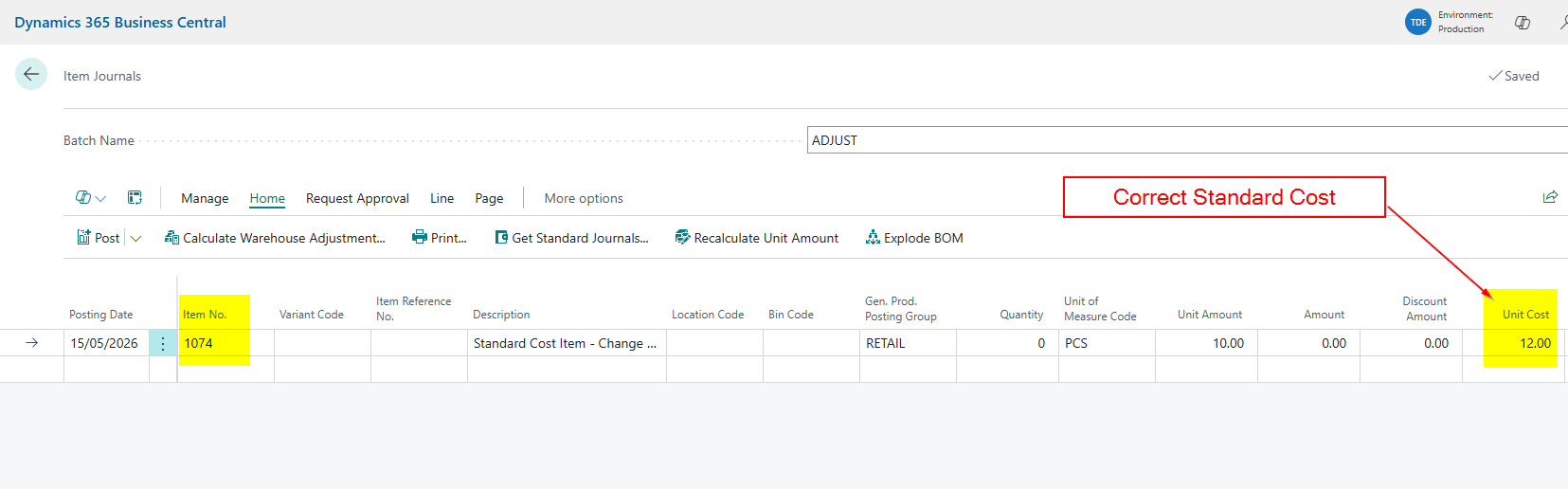
However I want to post the stock into the MAIN location, which has its own Stock Keeping Unit, so I’ll select “MAIN” for the location and this pulls through the old cost.
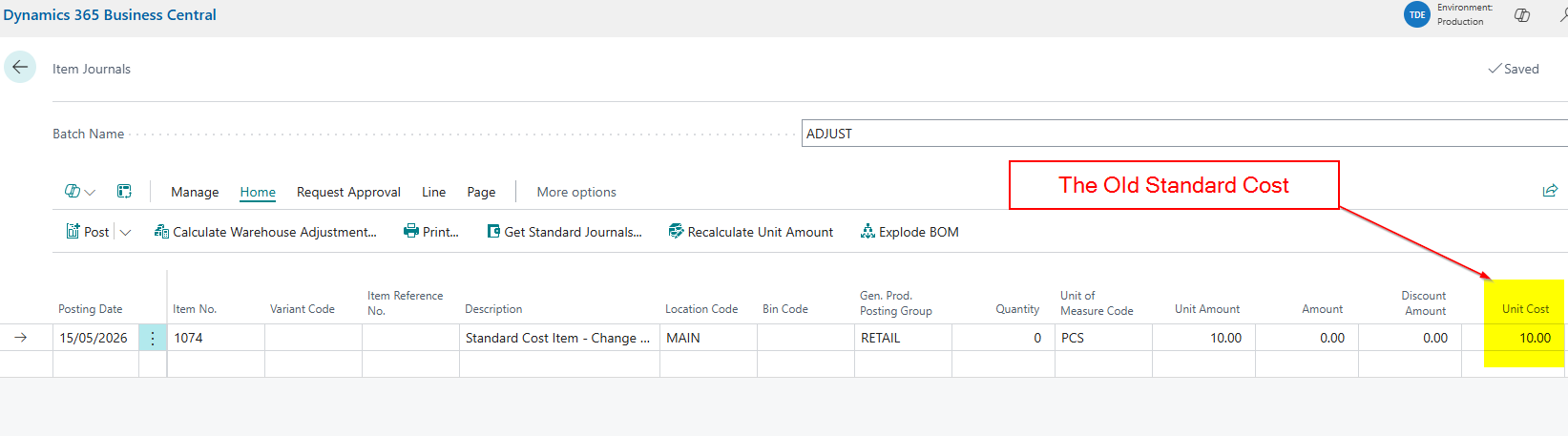
This highlights the first important consideration when changing the Standard Cost on the Item Card. The system doesn’t update the standard cost of any Stock Keeping Units.
Please note, when you have Stock Keeping Units for your locations, you can think of changing things directly on the Item Card as changing settings for the blank location.
Therefore I must now go to the Stock Keeping Unit and change the Standard Cost
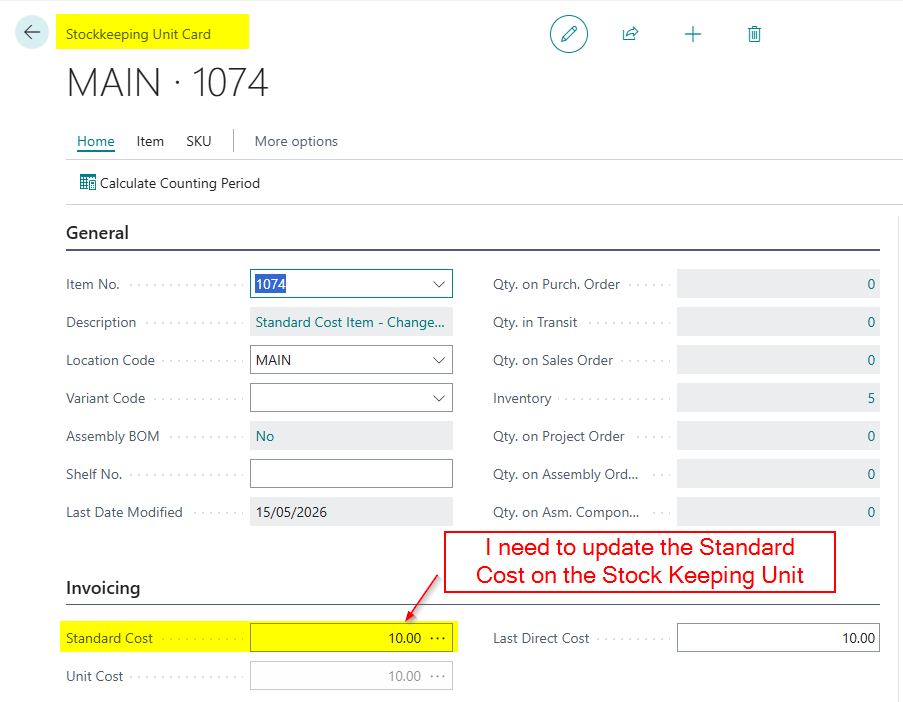
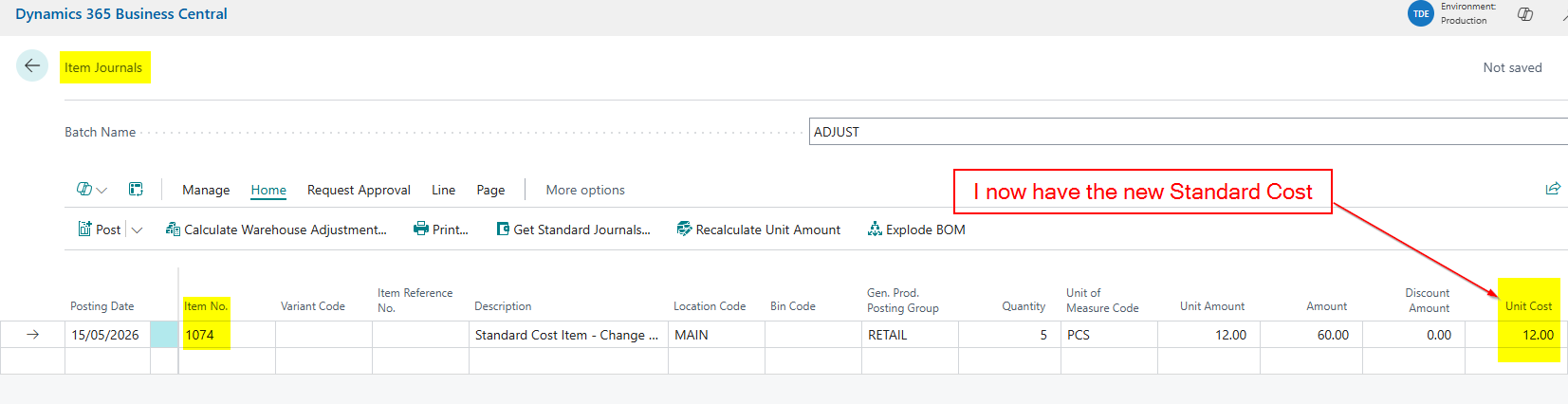
Now I’ve updated the Stock Keeping Unit I can go back to my Item Journal and post an entry to register 5 pieces at the new Standard Cost
Selling the Inventory after changing the Standard Cost
Now I’ve posted the new stock, let’s go and sell some of the Items 😊.
In this case I’m raising a Sales Invoice for one of the Items.
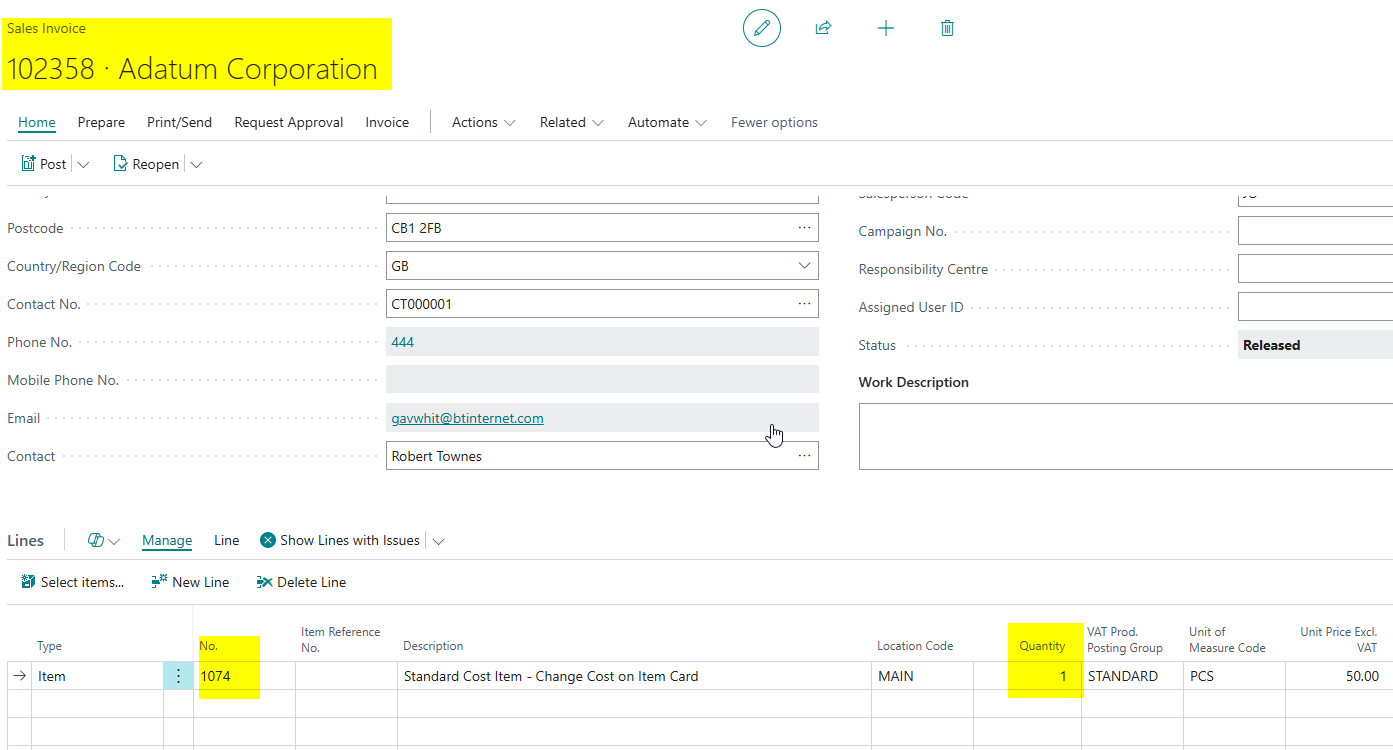
I’ll now go and check my General Ledger Entries to ensure the new Standard Cost has been used. However as you can see below this isn’t the case.
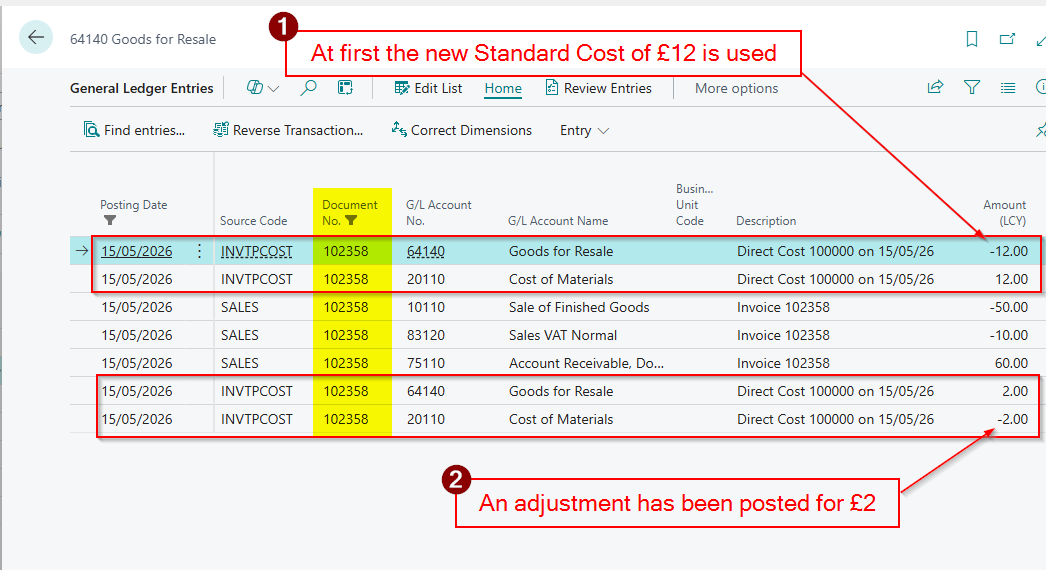
The system has initially used the new Standard Cost of £12, and recorded the Cost of Goods Sold as £12, however its then been adjusted by £2 back to £10? Why is this if our Standard Cost has been changed to £12?
The answer lies in the Item Ledger Entries and Value Entries. This item had remaining Inventory from a previous receipt and this was valued at the old Standard Cost. (see below)
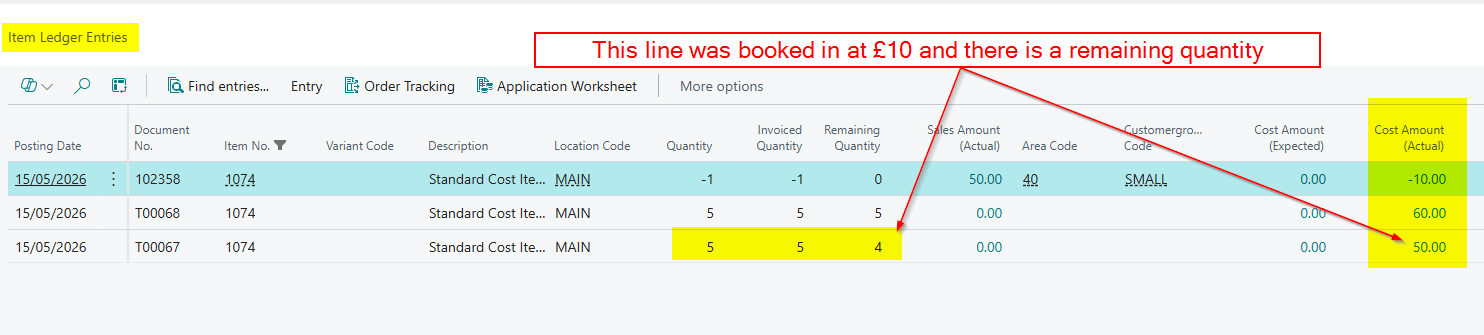
This brings us to the second important consideration. Existing on-hand inventory is not revalued when you change the Standard Cost on the Item Card.
Therefore when you sell the Item the system uses the Standard Cost, however when Cost Adjustment kicks in this is adjusted based on the Value Entries for that Item Ledger Entry, in this case £10.
Please note, you might not see this automatically happen if you dont have the option “Automatic Cost Adjustment” switched to “Always” in Inventory Setup. You may have to run “Adjust Cost – Item Entries”.
Conclusion
This post highlights two important considerations when changing the Standard Cost directly on the Item Card. The system doesn’t automaticlaly update your Stock Keeping Units, and it won’t revalue any existing inventory. If you need your on-hand stock revalued to the new cost, the Standard Cost Worksheet is the tool for the job, which we’ll cover in a future post. 😊
Thanks for reading!

