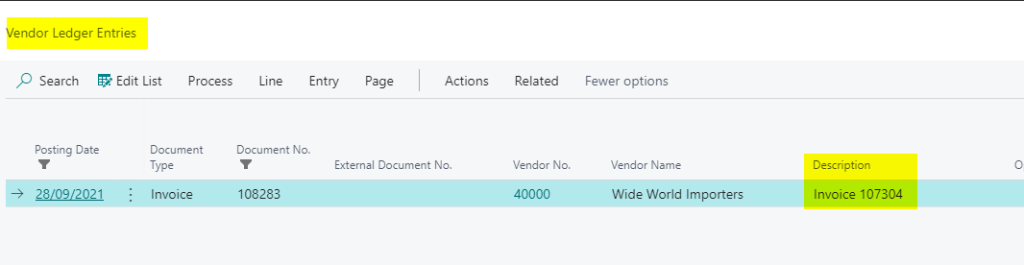
When posting a Purchase Invoice the description on the Vendor Ledger Entry defaults to the original unposted Invoice number.
For example when I post the Invoice below:
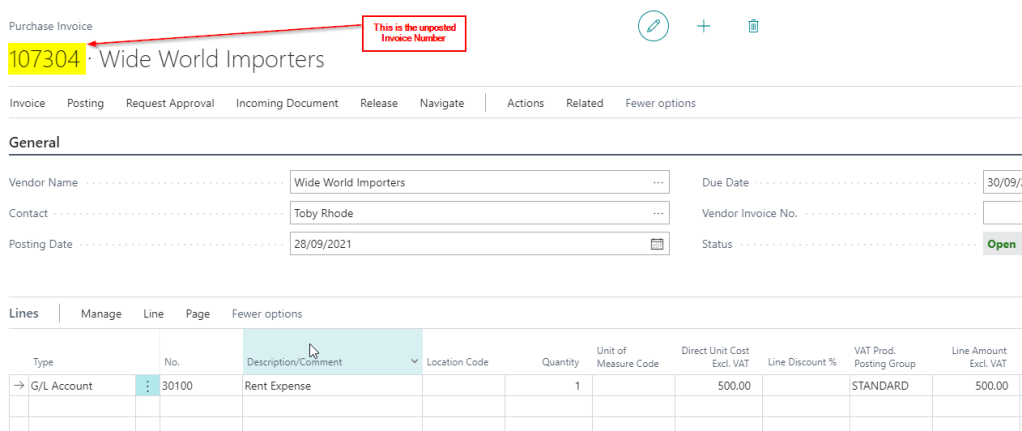
The Vendor Ledger Entries show the unposted Invoice number in the “Description” column:
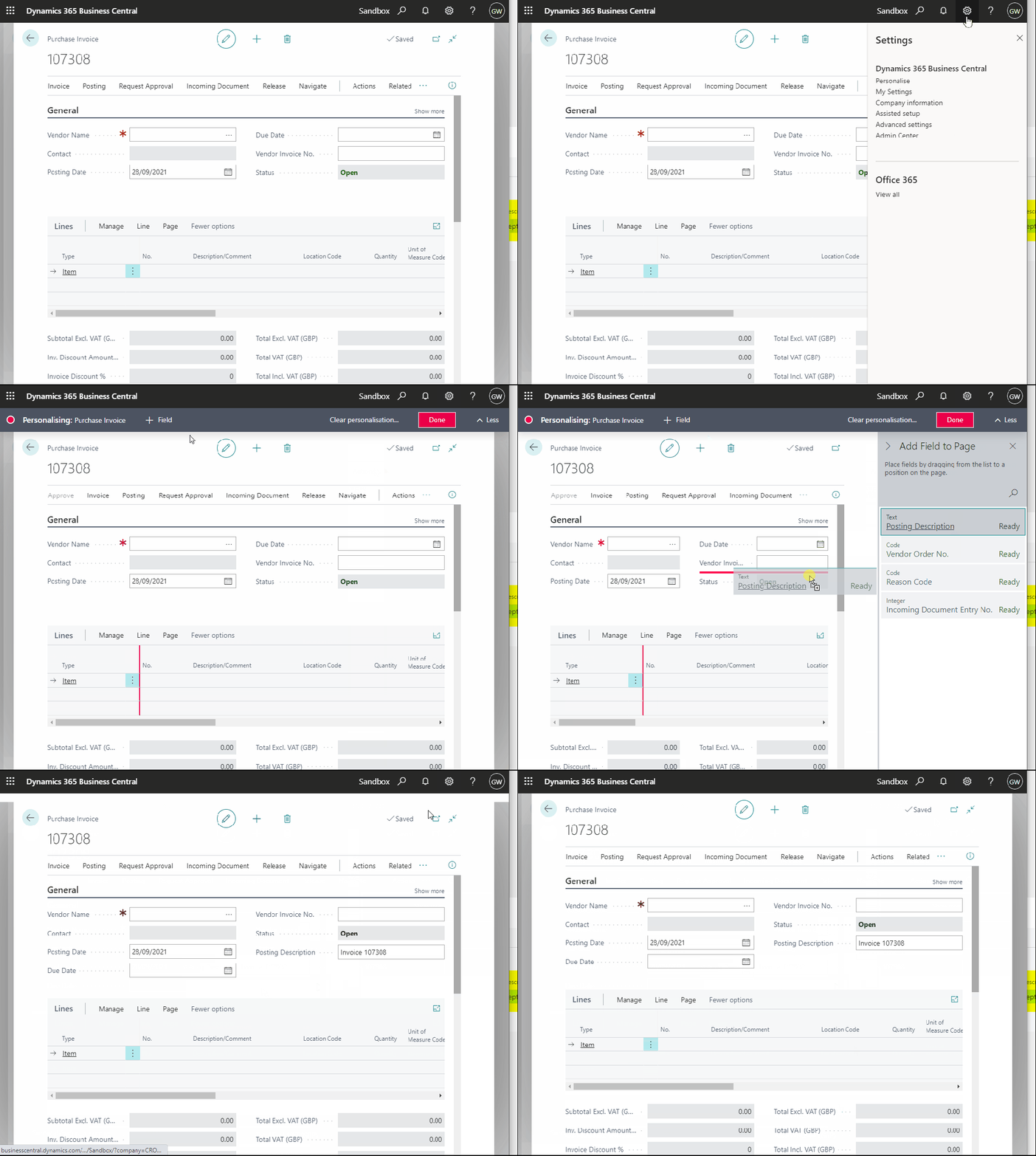
If you would like to have a specific description for the Purchase Invoice in the Vendor Ledger Entries page you can personalise the Purchase Invoice page and add the “Posting Description” field.
This is shown below:
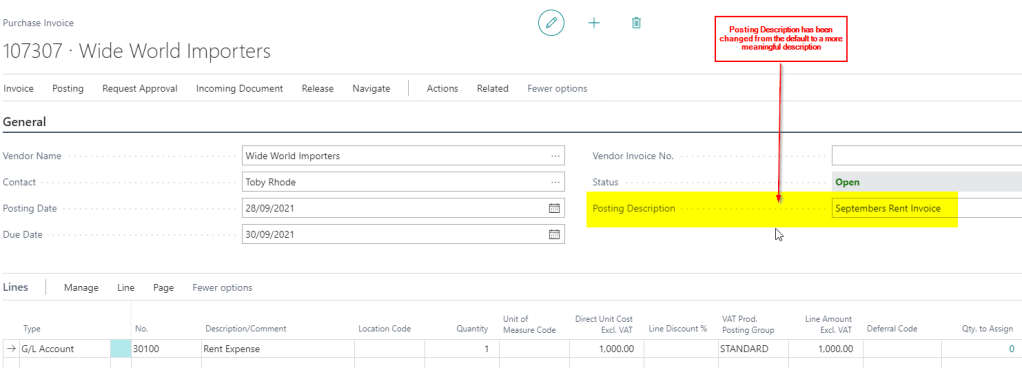
Now that we have access to the “Posting Description” on the Purchase Invoice page you can edit this and have a custom description when posting the Invoice.
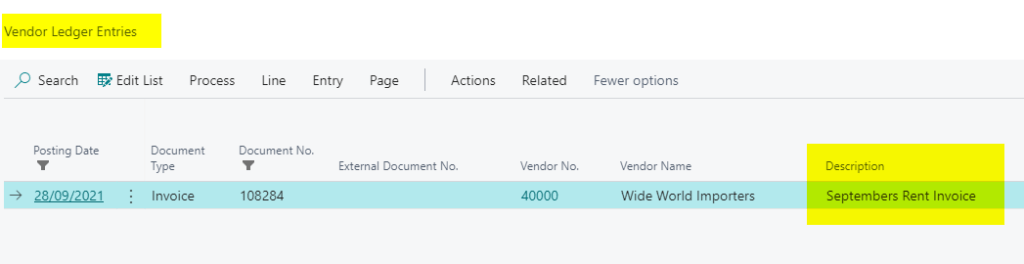
For example I’ve changed the description below to “Septembers Rent Invoice”
And this is reflected on the Vendor Ledger Entry
I hope you find this useful.
Thanks for reading!
 thedynamicsexplorer.com
good article as always Gav. Did you know about the new(ish) settings on P&P Setup/S&R Setup to copy line descriptions to G/L entries? Only applies to lines of type G/L Account.
LikeLike
Thanks Pete. Yes they are definitely must have settings those 🙂
LikeLike
Mine doesn’t show “posting description” in the pane…only shows “vendor posting group”.
LikeLike
Hi. In this case is the “Posting Description” already on the Purchase Invoice page? If you click “Show More” can you see it? If not when personalising ensure you click on a field on the Purchase Header when personalising. For example click on the “Document Date” field. This ensures the fields shown are those you can add to the Purchase Header. Thanks 🙂
LikeLike
Thank you for the reply!
Yes, “posting description” is on the “Puchase Invoice”. But on the “Posted Purchase Invoice”, it’s not there. I wanted to see previous month’s description to copy&paste for the current month.
LikeLike
Hi. Ah I see what you mean. I’ve checked and can only see “Vendor Posting Group” on that page. However, if you just want to copy and paste the value you should be able to go to the “Vendor Ledger Entry” and get it from the “Description” column :).
LikeLike
Hi Gavin. Thank you so much for the help. I was able to see description under “Vendor Ledger Entry”. I couldn’t copy it, but at least I was able to read it 🙂
LikeLiked by 1 person