Dynamics 365 Business Central – YouTube Video Series – A closer look at Dimensions in Business Central

Introduction

Dimensions are a really powerful feature of Business Central that enable additional reporting and analysis capabilities that go beyond the conventional Chart of Accounts, which only offer a single General Ledger code.

In this three part series I use a fictitious company called “IT Solutions Ltd” to explain the concept of Dimensions and the various features. This company sells various IT products like Business Central and Dynamics GP along with services such as Consultancy, Training and Development. As we go through the series we look at how IT Solutions Ltd use dimensions in Business Central to get the most out of reporting and analysis.

Part 1

In Part 1 I set the scene as to what a Dimension is and why they are used. I then delve into a transaction to show them in action 🙂

Part 2

In Part 2 we look at some of the functionality available with Dimensions like making them mandatory and setting defaults. We also look at blocking certain Dimension Combinations.

Part 3

In Part 3 we round things off by adding a new Dimension and describing the difference between Global and other kinds of Shortcut Dimensions. Finally, we finish off by looking at how to analyse the data using inbuilt Business Central lists and reports using Global Dimensions.

The full playlist can be found below

Hope you like it 🙂
Dynamics 365 Business Central – Add Dimensions to more than one entity using the Dimensions-Multiple function

Introduction

If you are just starting out with dimensions, or have created a new dimension, you may need to assign this to multiple Customer, Vendors, Items or GL Codes very quickly. To do this you can use the “Dimensions – Multiple” function.

An Example

In this example I have a dimension called “Department” that I want to assign as “Mandatory” to all my expense GL codes.

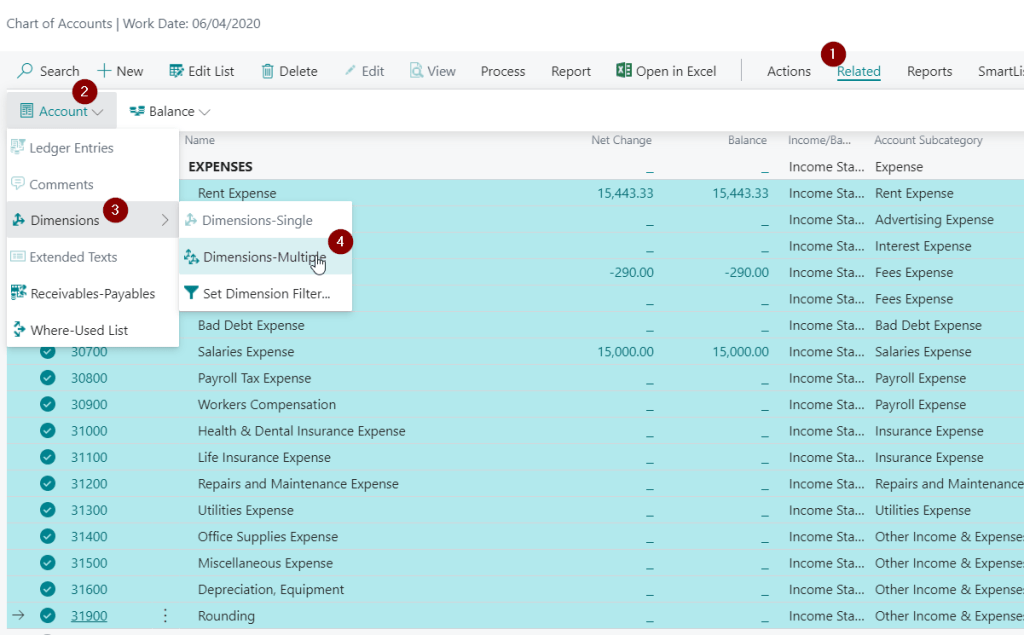
To do this I’ll go to “Chart of Accounts”, select all the GL expense codes, and then click “Related > Account > Dimensions > Dimensions – Multiple”

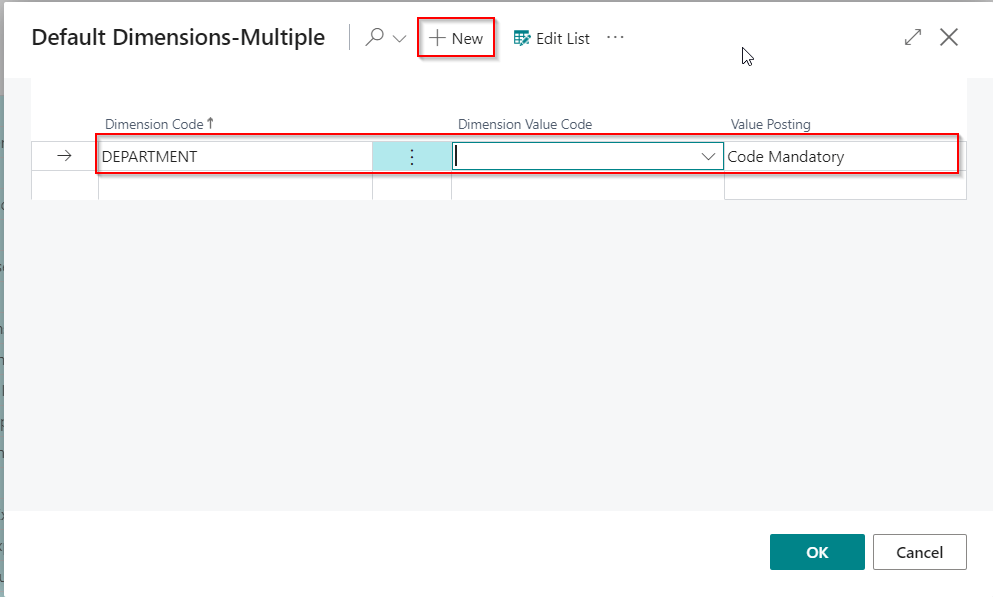
Then I’ll select that I want “Department” to be mandatory for these GL codes and click OK

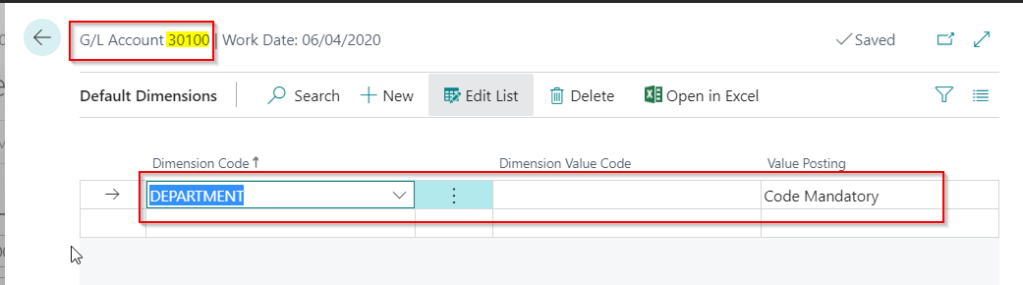
Finally, I’ll check a GL code to confirm this has worked as expected:

Perfect, everything has worked as expected!

You can do this to customers, vendors and items via the relevant list page.

Thanks for reading!

Dynamics 365 Business Central – Dimension set to “No Code” on GL Code but a value still posts for a exchange gain\loss adjustment

I came across an interesting situation today that I thought was worth documenting to see if there’s any known reason for this behaviour or if I’ve misunderstood something.

I’m unsure if this is a software issue, or by design, however I noticed that even though I’d set the dimension value posting to “No Code” on a GL code, a value was still posting for the dimension in a certain scenario.

The scenario is outlined below but in short the G/L entries affected were exchange gain and loss postings that were automatically created after applying a foreign currency invoice to a foreign currency payment.

The G/L account in question is the exchange gains\losses account. As you see I’ve specified this shouldn’t have any analysis to the “CUSTOMERGROUP” dimension code.

I then posted an Invoice and Payment at different exchange rates and analysed both to the Dimension Code “CUSTOMERGROUP”. (I used different value codes for each transaction as part of the test)

Then I applied the payment to the invoice to force an exchange gain\loss postings as per below.

When posting the application I expected an error however to my surprise this worked, and when I check the G/L entries the GL code 31900 has dimension code analysis posted to “CUSTOMERGROUP”. (its taken from the Payment as I used the dimension value code “MEDIUM” on the payment)

To confirm I’d set this up correctly I tried posting a standard journal to the GL code and I correctly received the error below:

While I appreciate its unlikely the system would ever be setup like this its interesting that the rule of “No Code” appears to have been bypassed in this particular scenario.

It would be interesting to know if there’s any reason for this?

Thanks for reading!