Dynamics GP – Error “This transaction contains multi – currency errors and can’t be posted” when posting Multi Currency Transactions

A client reported the following error on the posting journals when trying to post both Receivables and Payables Transactions. “This transaction contains multi-currency error(s)”

This transaction contains multicurrency errors

This was followed by a message informing them that the batch had gone to recovery.

I checked the usual things like exchange rate expiration dates however everything seemed fine.

The client then explained they had overwritten some exchange rates accidentally but had since changed these back however the error persisted.

I delved a little deeper using SQL and noticed that although the dates and rates were the same the TIME1 value in the MC020102 table for the transactions differed slightly from the TIME1 value in the DYNAMICS..MC00101 for the exchange rate in question.

Affected transaction showing differing TIME1 value from setup

As a test I changed one of the transactions by updating the TIME1 value in the MC020102 table to match the relevant TIME1 row in MC00100 using the script below.

UPDATE MCTRX 
SET    MCtrx.time1 = MC.time1 
FROM   mc020102 MCTRX 
       INNER JOIN dyn2018r2..mc00100 mc 
               ON mc.exgtblid = MCTRX.exgtblid 
                  AND mc.xchgrate = MCTRX.xchgrate 
                  AND mc.exchdate = MCTRX.exchdate 
WHERE  MCTRX.docnumbr = 'SALES00000001004'   

I then printed an edit list of the batch and the error had gone.

Now I knew how to fix the issue I realised I could also resolve this by just opening the transactions in the entry window and re-selecting the exchange rate however there were 1000’s of affected transactions so I used the script below. (this was affecting all multi currency transactions in WORK batches so I just had to filter on DCSTATUS)

UPDATE MCTRX 
SET    MCtrx.time1 = MC.time1 
FROM   mc020102 MCTRX 
       INNER JOIN dyn2018r2..mc00100 mc 
               ON mc.exgtblid = MCTRX.exgtblid 
                  AND mc.xchgrate = MCTRX.xchgrate 
                  AND mc.exchdate = MCTRX.exchdate 
WHERE  mc.time1 <> MCTRX.time1 
       AND DCSTATUS = 1   --add this so only WORK trx are affected

After running this script all sales transactions posted fine.

Next I turned to the payables transactions which just involved a small tweak to the original script and also an update to a different table to correct currencies for the multi currency payables payment batch header.

--First fix Payables multi currency trx

UPDATE MCTRX 
SET    MCtrx.time1 = MC.time1 
FROM   mc020103 MCTRX --Changed to MC020103 for payables trx 
       INNER JOIN dyn2018r2..mc00100 mc 
               ON mc.exgtblid = MCTRX.exgtblid 
                  AND mc.xchgrate = MCTRX.xchgrate 
                  AND mc.exchdate = MCTRX.exchdate 
WHERE  mc.time1 <> MCTRX.time1 
       AND DCSTATUS = 1 

--Also fix the batch header currency values for payment batches 

UPDATE batch 
SET    batch.time1 = mc.time1 
FROM   mc00500 batch --batch header multi currency table 
       INNER JOIN dynamics..mc00100 mc 
               ON mc.exgtblid = batch.exgtblid 
                  AND mc.xchgrate = batch.xchgrate 
                  AND mc.exchdate = batch.exchdate 
WHERE  mc.time1 <> batch.time1   

Once I’d ran through all this the transactions posted fine.

Hopefully this will help someone in the future who may face a similar issue however always remember to have a good backup of your data before running any SQL scripts and test whenever possible.

Thanks for reading!

Thinking of making the move to Business Central? We can help

Dynamics NAV – Message “Number of source documents posted: 0 out of a total of 1” when posting a Warehouse Receipt

Today I ran into an issue when posting a Warehouse Receipt to a new location I just created. I’m using a new location as I’m testing the processes of Warehouse Receipt and Putaways along with Warehouse Shipments and Picks and I’d rather do this on a new location.

I thought it worth documenting this process as when troubleshooting why the Warehouse Receipt wouldn’t post I found a setup option I could change which gave me a better, more comprehensive error, enabling me to get to the root cause of the issue. This was crucial to understanding why the Warehouse Receipt wouldn’t post.

Starting from the beginning, to create the new location I went to the “Location Setup” window and created the location as per below
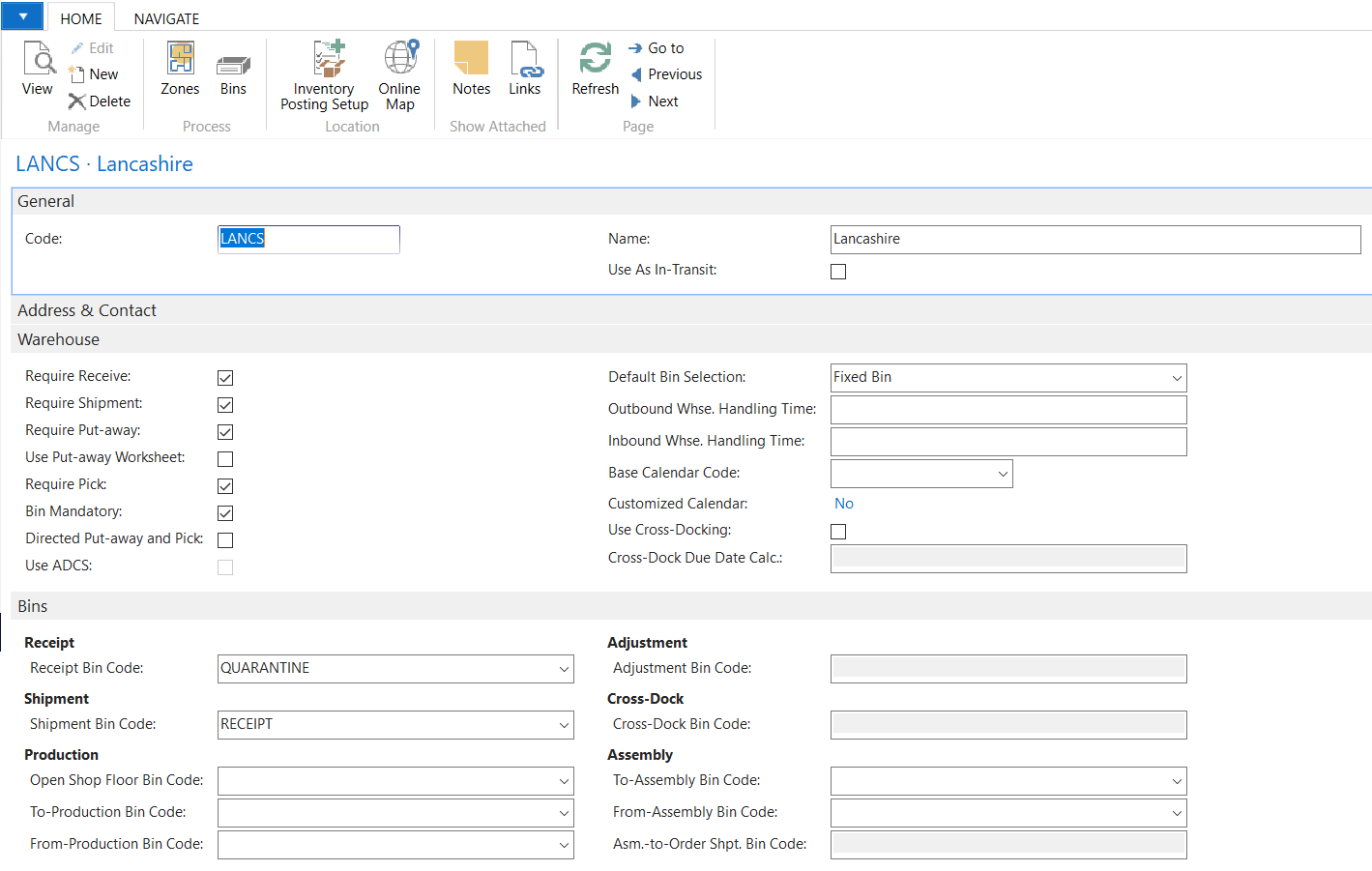
Location Setup

I then went ahead and created a Purchase Order so I could work through creating a Purchase Order followed by a Warehouse Receipt and Putaway. I did this by creating a Purchase Order and clicking “Create Whse. Receipt”
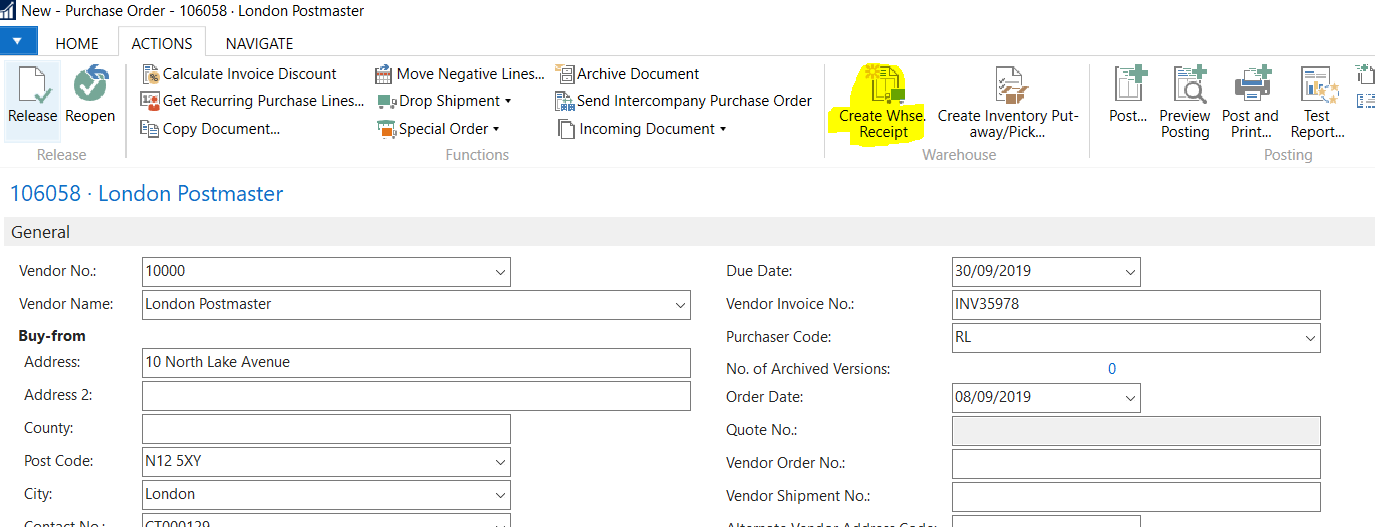
Create Whse. Receipt

Success. This created a Warehouse Receipt, and as all the relevant information was populated, I just need to post this to create the Putaway however when trying to post the document I was presented with the message below:
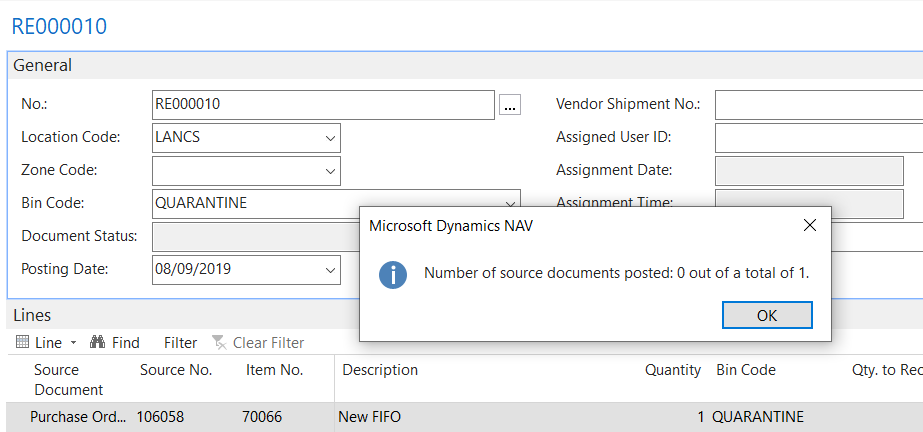
Number of source documents posted: 0 out of a total of 1

Hmmm. The error isn’t giving anything away, and when I doubled checked everything seems fine so why isn’t it posting?

After much pondering and testing I stumbled across the setting below in the “Warehouse Setup”
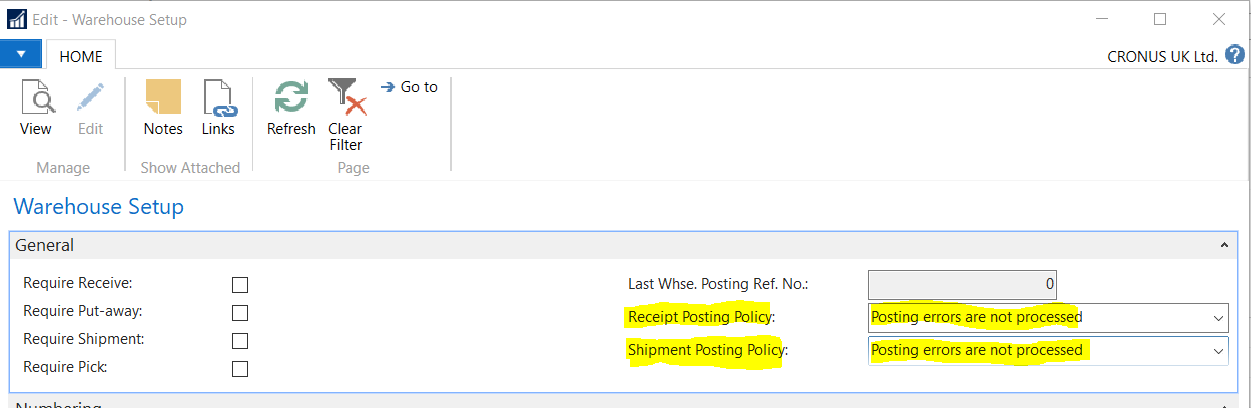
Warehouse Setup

At the moment its set to “Posting errors are not processed”. I therefore switched this to “Stop and show the first posting error” in the hope it would give me more information when posting.
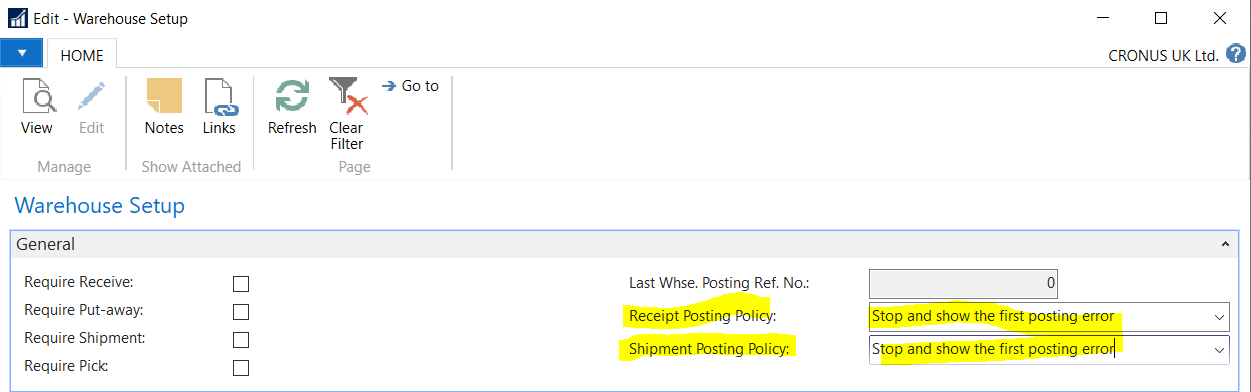
Warehouse Setup

I then tried to post the Warehouse Receipt again and now I get a much better error message
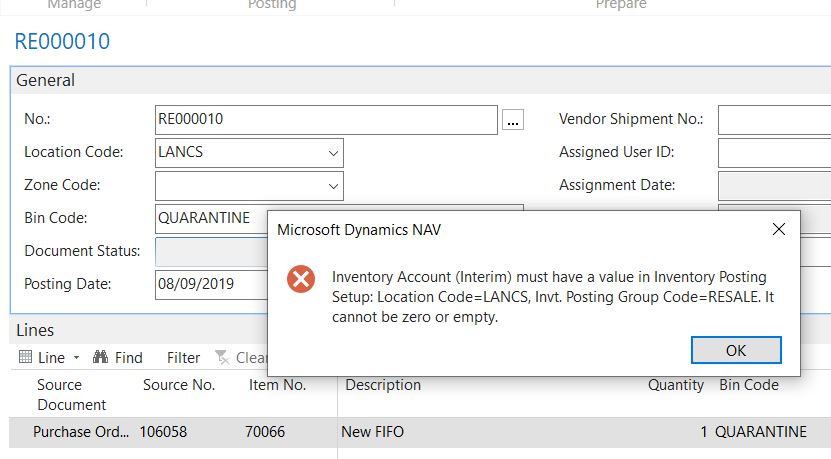
The error is suggesting I haven’t setup posting accounts against my new location. Doh!

I therefore went back to “Location Setup” and clicked “Inventory Posting Setup” and populated the Inventory posting group and posting accounts as per below

I then went back to my Warehouse Receipt and now all the posting accounts have been added it posts fine.

I’m guessing it would have taken much longer to get to the root cause of the issue if it wasn’t for that setting in “Warehouse Setup” so I’m sure this will come in handy in the future as well.

Thanks for reading!
Dynamics GP – Transaction missing from the Transaction Enquiry / Void window in Bank Management

This is a quick post however I thought it was worthwhile postings as there’s not much information online about the Bank Management module.

A client wanted to void a GL type transaction in Bank Management however it wasn’t listed in the “Transaction Enquiry / Void” window in Dynamics GP.

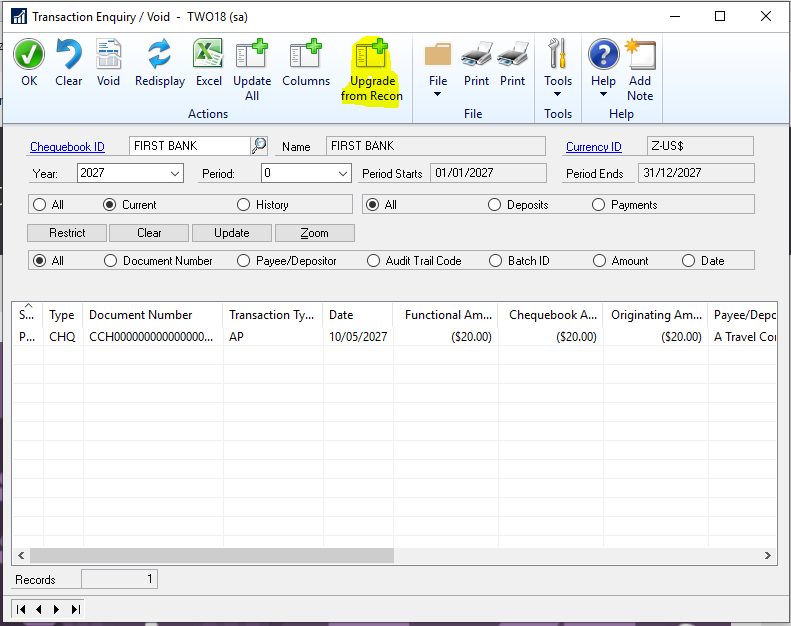
The solution is to click “Upgrade from Recon” which refreshes the enquiry window with data from the reconciliation tables.

The window and button are highlighted below:

The process can take some time depending on the number of transactions as it will read from both open and historical bank management tables.

Once this had completed the transaction was available to void in the “Transaction Enquiry / Void” window.

I hope this comes in useful for someone else in the future.

Thanks for reading