Introduction
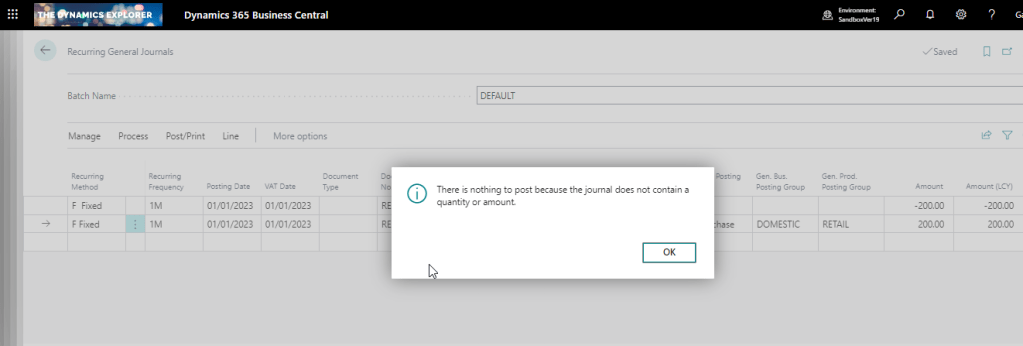
When attempting to post a recurring general journal you receive the message “There is nothing to post because the journal does not contain a quantity or amount” even though you have specified the General Ledger codes and the amounts and everything appears fine.
This is a common query that crops up, and also something I see from time to time in the forums, so I thought I’d write it up for reference and to hopefully help anyone else who receives this message.
The Recurring General Journal
Below is a recurring general journal. I’ve populated all the required fields however when I try and post it I get the message below:
The Solution
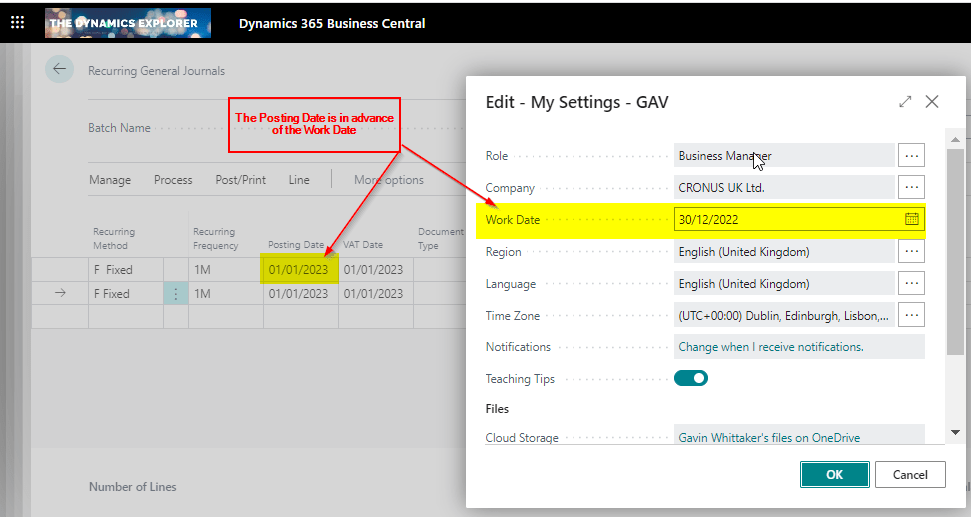
The reason I’m getting this message is because of the unique way in which a recurring general journal works. In a Recurring General Journal the “Posting Date” is compared to the “Work Date” and if the posting date is greater than the work date you receive this message.
I’ll therefore compare the Posting Date on my journal to my Work Date, and as you can see the Posting Date is in advance of my Work Date:
Therefore, in my case, the solution is to change the user date to a date of 01/01/23 (or a date in advance of 01/01/23) and try again:
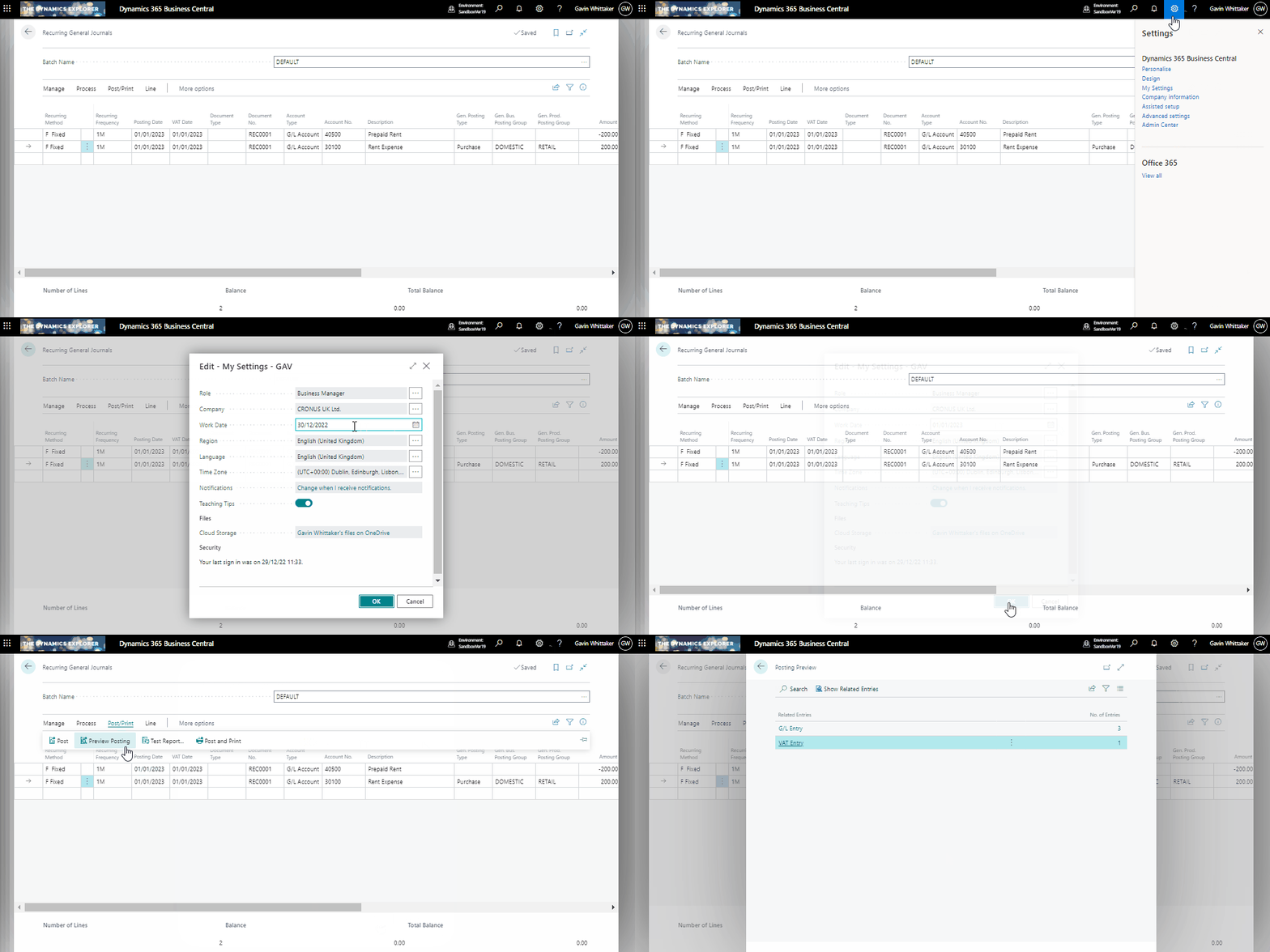
After doing this my journal will now post 🙂
Conclusion
As far as I’m aware, this is the only journal that behaves this way. For example, I can post a General Journal and the system won’t check the Work Date against the Posting Date.
I suspect the primary reason for this behaviour is to prevent a user mistakenly posting a recurring general journal numerous times, as by default the lines remain on a recurring general journal after you have posted it, and the posting date automatically advances based on the “Recurring Frequency”. (i.e. if the recurring frequently in 1M the Posting Date changes by one month).
Therefore you could post the journal once and then post it again by accident. Having the system perform this simple check prevents this.
Thanks for reading!
 thedynamicsexplorer.com
👍 Thank you – useful article.
LikeLiked by 1 person
The posting date in the recurring general journal is 2022. Still, I received this error. Thank you
LikeLike
Did you find any solution to this, I am also finding it difficult to post, only if I keep my posting date 2 months behind then only it allows me to post.
LikeLike
Thank you – useful article! Unfortunately, it is very late due to scope of data migration and we were kind of confused why all recurring journals have nothing to post. Thanks for your brief reminder! One click on “My settings” and one change of “work date” relieved our stress.
LikeLiked by 1 person
Awesome! Glad the post helped 🙂
LikeLike