Introduction
When you create new users in Business Central, unless you tell Business Central otherwise, they are granted full access to the first company they log into.
In this post I’ll walk through how you can prevent this by making changes in the “Licence Configuration” page
How do new users get their default permissions?
When adding new users to Business Central, they are automatically assigned permissions based primarily on:
- The Security Groups they are in (not covered in this post)
- The Licence they have been granted.
Its therefore crucial we modify the permissions they inherit as part of their Licence. We do this via the “Licence Configuration” page.
Licence Configuration
Now lets look at how we can configure the permissions using the “Licence Configuration” page
First I open the “Licence Configuration” page
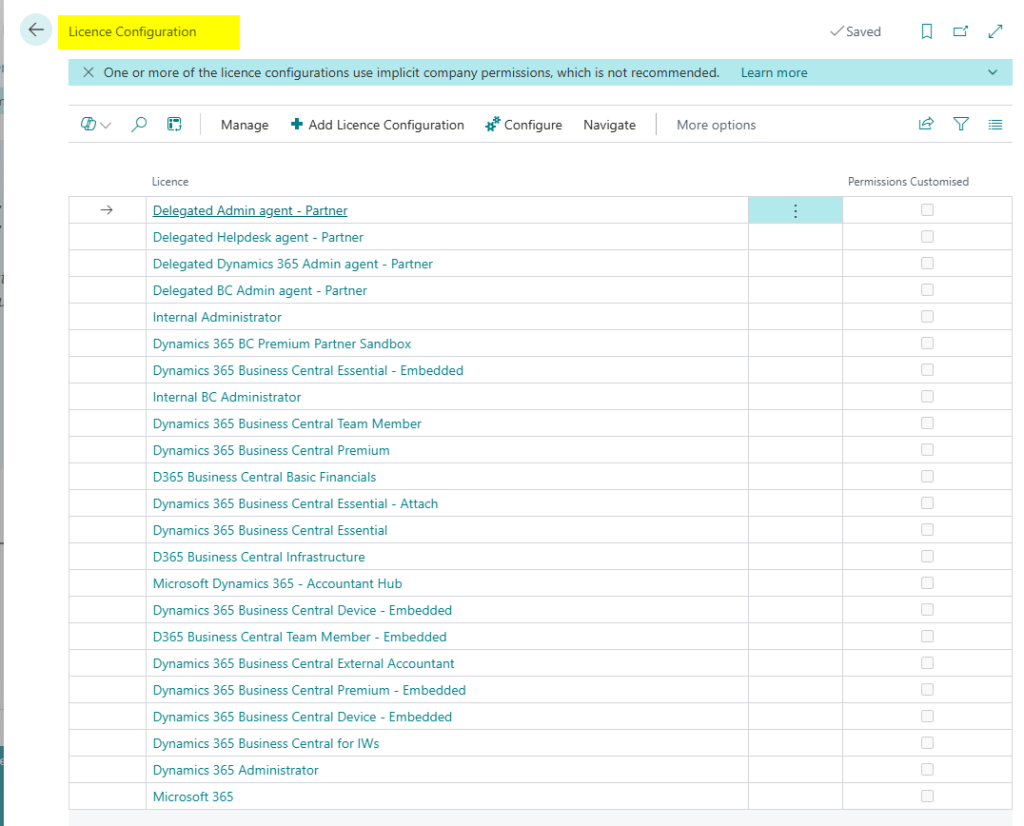
Here we can see all the different licence types for Business Central.
I’ll configure the permissions for the “Dynamics 365 Business Central Essential” licence. To do this I click on the hyperlink for this licence and it opens the page.
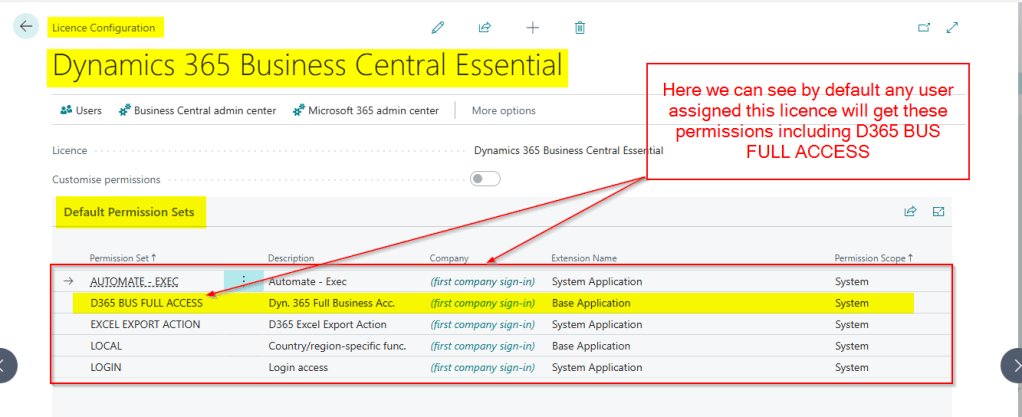
As you can see by default granting a user this licence gives them full permissions to the first company they log into. This is the reason why I see so many administrators having to manually go and reset permissions after creating new users.
We can prevent this now by editing the page and customising the permissions.
To do this click the pencil at the top of the page to make the page editable, and click the slider for “Customise Permissions”.
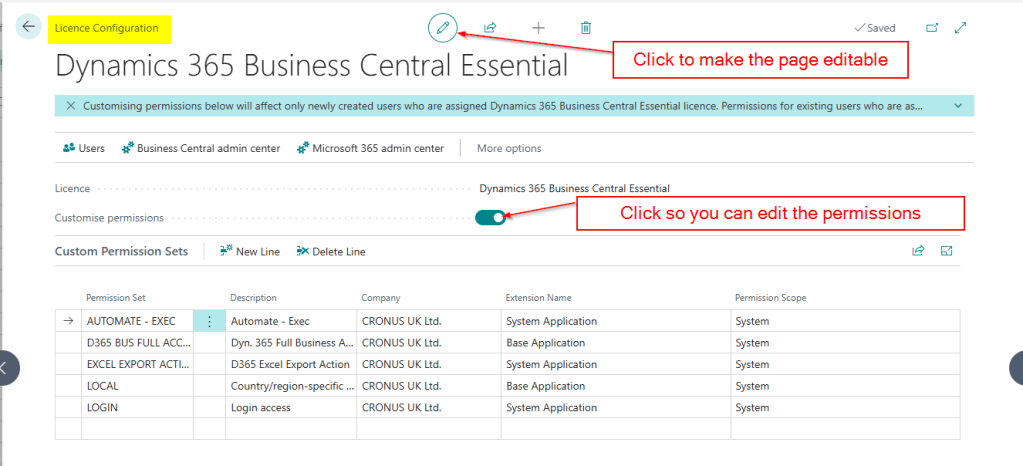
We can now change the permissions. I’m just going to remove the “D365 BUS FULL ACCESS” permission set. To do this I highlight the line and click “Delete Line”
My Licence Configuration now looks as per below:
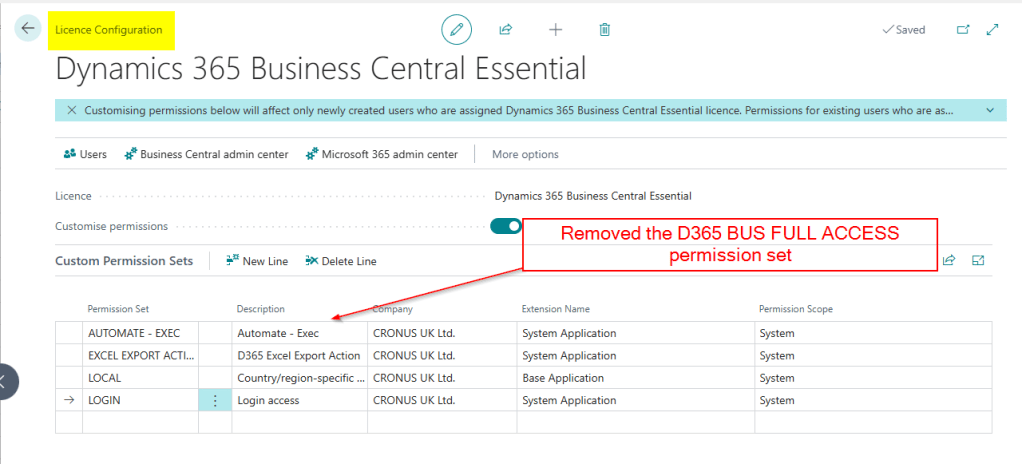
Now when I create a new user that’s been assigned this licence they won’t have full access.
You can control the access your partner gets by editing the “Delegated Admin agent – Partner” licence
Conclusion
This post goes through how to control permissions to new users based on the licence configuration.
There are other factors to consider when planning permissions in Business Central, like security groups, which could mean you can remove all permissions from the “Licence Configuration”. Maybe we can touch on this on a future post 😊.
Thanks for reading!



 thedynamicsexplorer.com