Introduction
In previous posts I’ve looked at how I post opening balances for Fixed Assets, Expected Costs and Bank Accounts. Links to these articles can be found below:
How I post opening balances for Fixed Assets
How I post opening balances for Bank Accounts
How I post opening balancing for Goods Receiving Not Invoiced (Expected Costs)
Today I wanted to discuss how I post opening balances for Sales and Purchase Ledger.
The post will focus on opening balances for Sales Ledger, however I follow the exact same process for Sales and Purchase Ledger.
I used to stick with one tried and trusted method however I recently encountered an issue which has made me reassess and try something new.
I’ll detail both methods below including the issue I recently encountered with the first method.
Preparation
In order to prepare for the opening balances, there’s a couple of very important things to check and do.
Firstly, unless there are exceptional circumstances, I will only bring in outstanding Sales Ledger transactions, therefore I always recommend applying all open invoices, credits, payments in the source system. I then ask the client to ensure the debtors report balances to the General Ledger Accounts Receivable code.
Once everything is reconciled in the source system, I provide a data pack in the form of a Excel spreadsheet for the client to complete with their Sales Ledger opening balance transactions that can be easily imported into a General Journal via a configuration package.
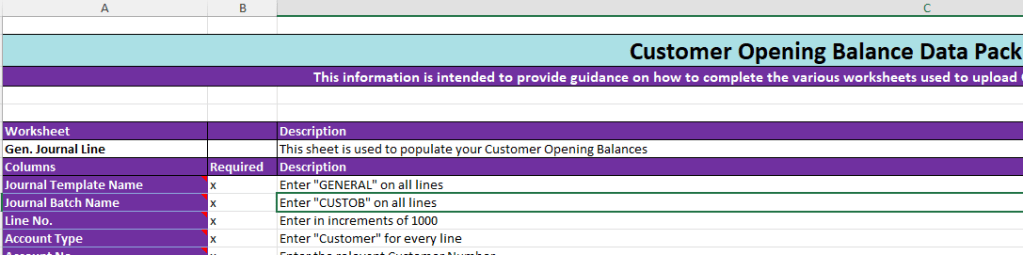
I also include a “Readme” sheet as part of the Excel spreadsheet. This has more information on each column included in the data pack, to make this easier for the client to complete. A snippet of the readme is shown below however you can download the Excel Sheet from here along with other Free Stuff 🙂
Its also worth noting the General Ledger opening balances for the Accounts Receivable and Accounts Payable is posted separately via the GL Opening Balance Trial Balance.
Method 1 – Balance every entry to the Accounts Receivable code
Method one involves importing the data pack into a General Journal and then balancing each Sales Ledger opening balance entry (i.e. open Invoice, Credit, Payment etc) to the Accounts Receivable control account. This produces GL entries that will both Debit and Credit the same Accounts Receivable control account. (I do this as the Accounts Receivable opening balance is posted as part of the General Ledger opening balances).
After everything is posted I’ll then check the “Aged Accounts Receivable” report balances to the General Ledger Accounts Receivable code.
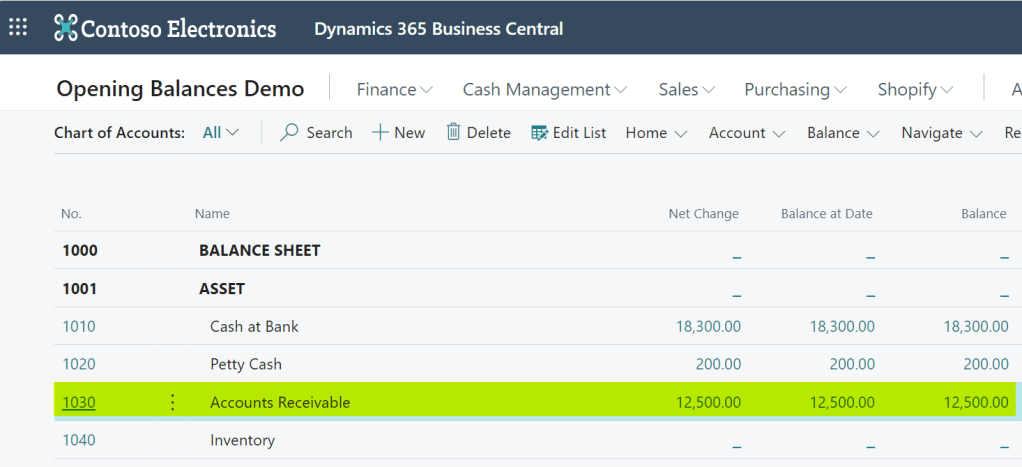
For example in the demo company below the Accounts Receivable GL account is 1030 and has a posted opening balance of £12,500.00
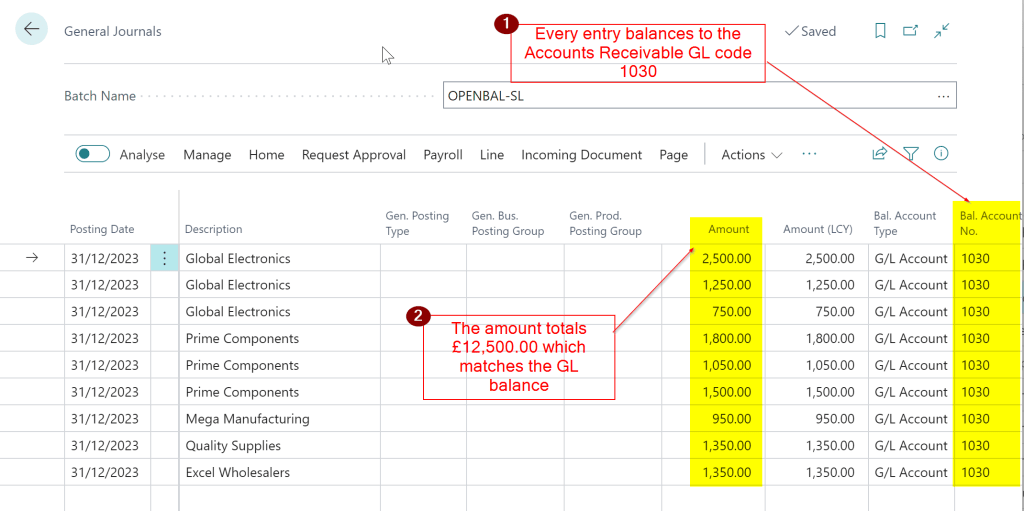
Therefore I import the Sales Ledger opening balances from the data pack into a General Journal and then ensure each entry balances to GL code 1030 and the total balances to £12,500.00.
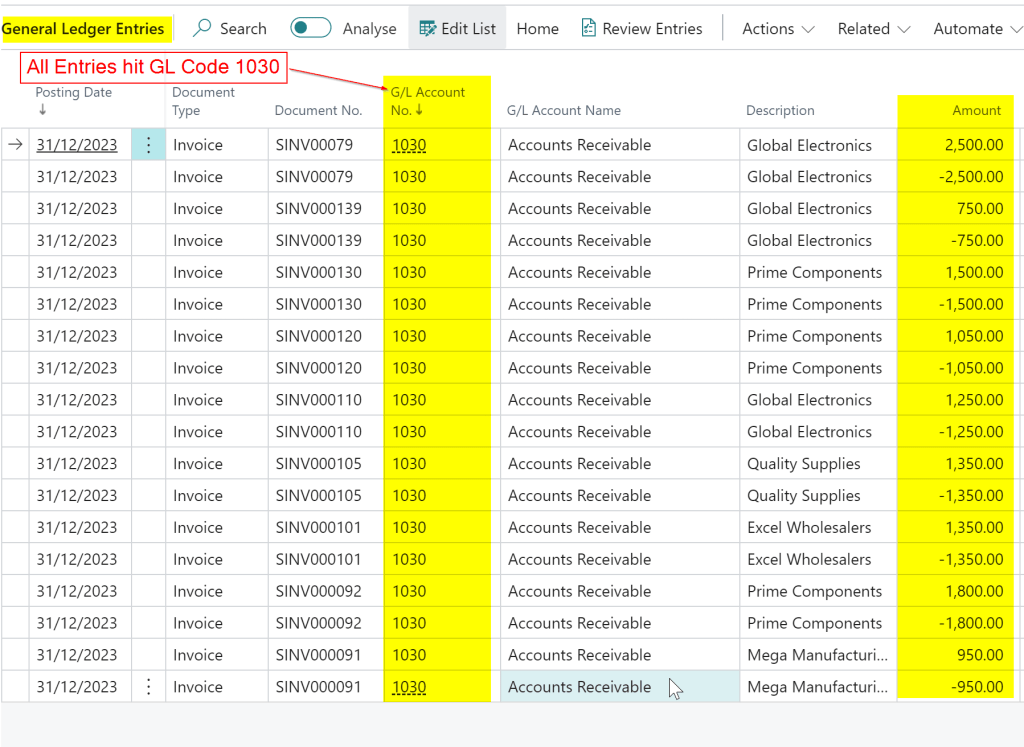
When posted every entry then Debits and Credits the GL Code 1030 making no effect to the GL balance.
As a final check, after posting the opening balance I run the “Aged Accounts Receivable” report and ensure it balances to £12,500.00 and therefore matches the General Ledger balance.
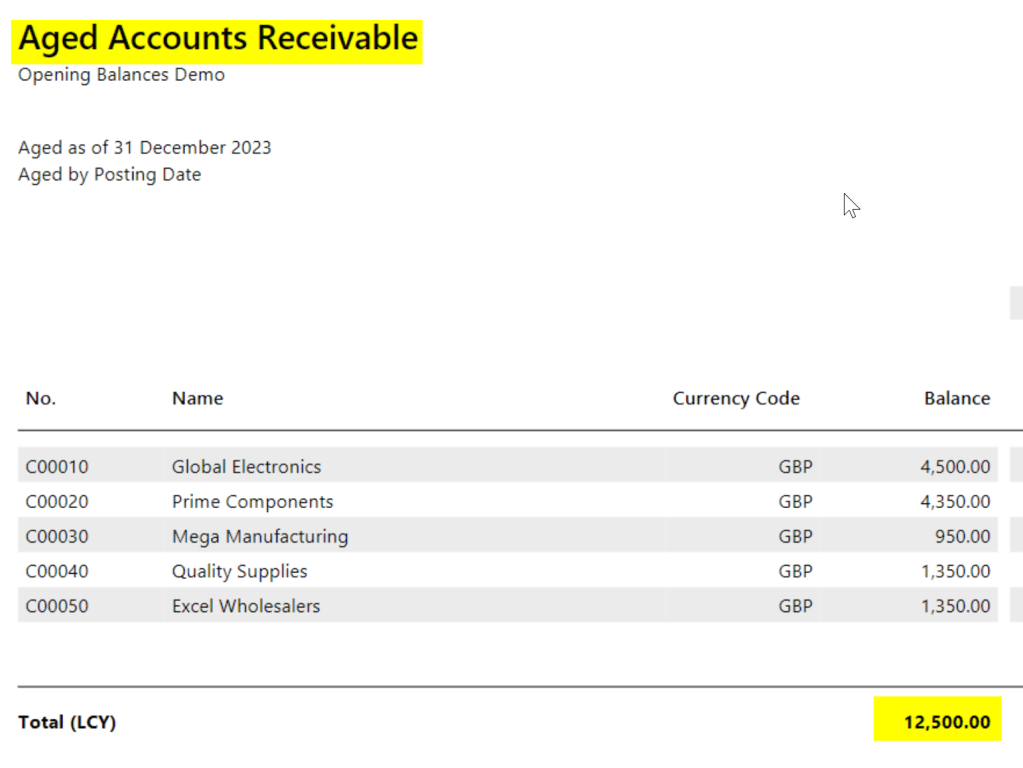
At the end of the process I have a balance on the General Ledger for GL code 1030 of £12,500.00 and a balance on my Sales Ledger of £12,500.00.
Therefore everything balances 🙂
** There is a slight flaw with this which I’ll detail after Method 2 **
Method 2 – Balance every entry to a Suspense Code
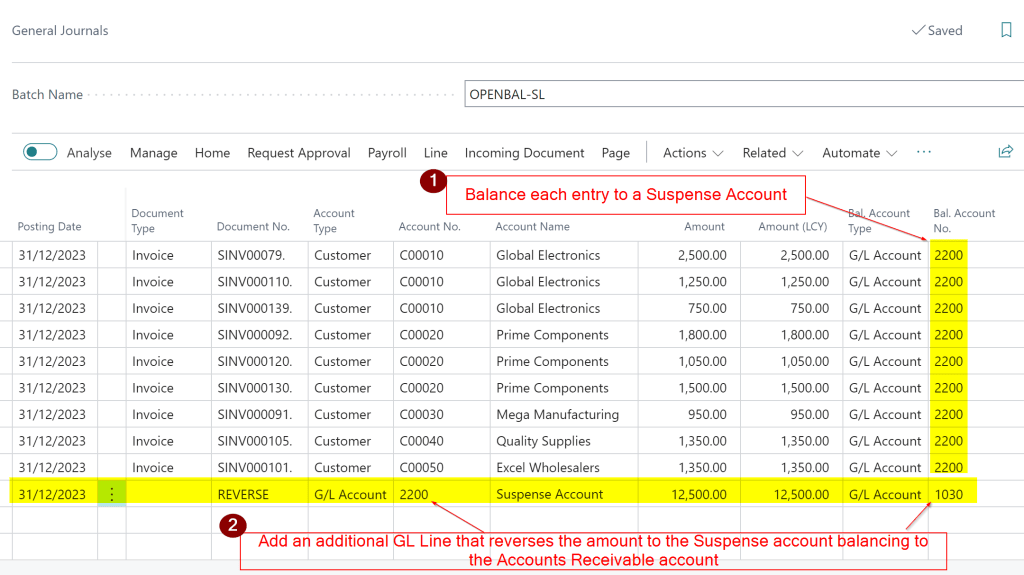
The next method follows the same process except you balance each entry to a Suspense Account.
You then add an additional line that reverses the balance in the Suspense Account to the Accounts Receivable GL Code
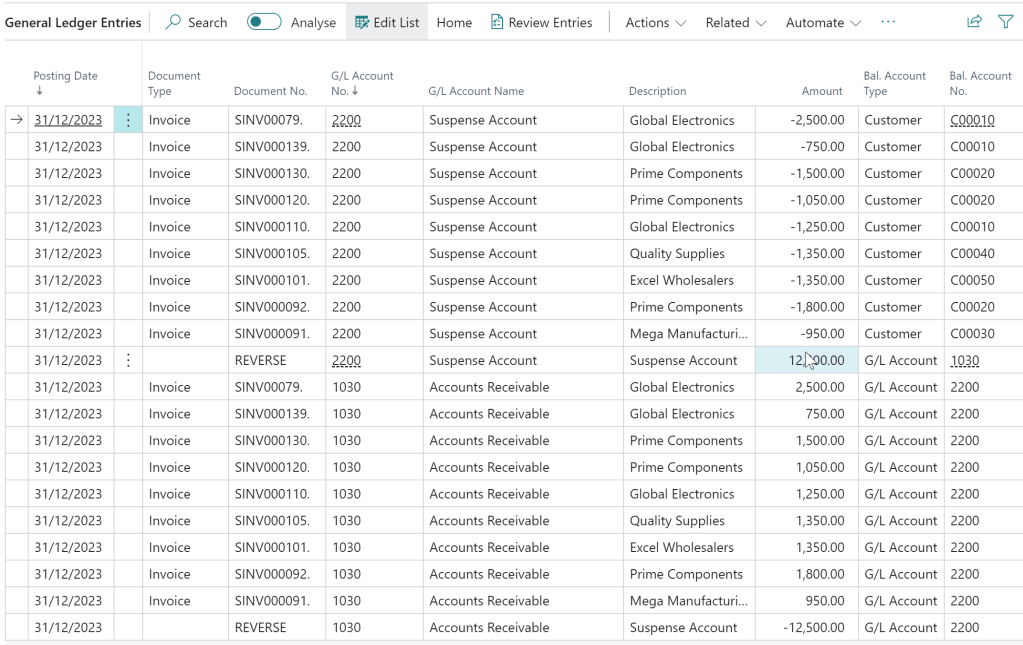
The GL Entries for both the Accounts Receivable and Suspense net off to £0.00.
The final check would be to ensure the “Aged Accounts Receivable” report matches the Accounts Receivable GL balance just like Method 1.
Issue with Method 1
The issue with method one arises if someone reverses one of the Sales Ledger opening balance entries.
If this happens the GL entries debit and credit the Accounts Receivable GL code, as these were the original entries, which causes an imbalance between the GL and the “Aged Accounts Receivable” report (as the transaction drops off this report).
I’ve historically found this a tricky issue to spot and resolve without significant manual reconciliation.
If you were to reverse an opening balance entry posted using Method 2 this wouldn’t the case. The Suspense Account would be affected, as well as the Accounts Receivable account. Therefore the Aged Accounts Receivable would still balance, and you could also easily spot an issue as the suspense account would have a balance.
Conclusion
Both methods offer good solutions for importing and posting opening balances for both Sales and Purchase ledger opening balances.
Although the issue with Method 1 doesn’t happen often its something to be aware of as it can cause issues following a go live.
Thanks for reading!
Want further help with Business Central?
If you’d like more help with Business Central, I also run Rapid365, which provides Business Central implementation and support services for UK businesses, supporting you through setup and go-live.
👉 View services and pricing at Rapid365.co.uk/pricing







 thedynamicsexplorer.com