Introduction
When posting a Journal in Business Central you receive the message “You have one or more documents that must be posted before you post document no..<docno>..according to your company’s No. Series setup”.
In this post we’ll look at why this error occurs and how it can be resolved.
First, let’s recreate the error
Here I have a journal batch for Depreciation. Everything looks fine, I’ve entered a Document Number and the journal balances.
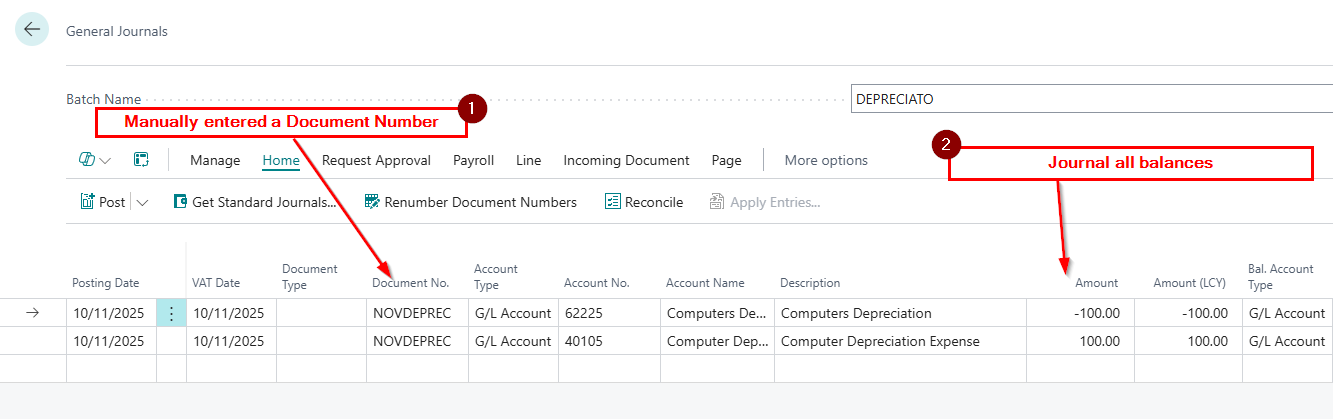
The system will allow me to “Preview Post” however when I try and post the batch I’m presented with the error below:
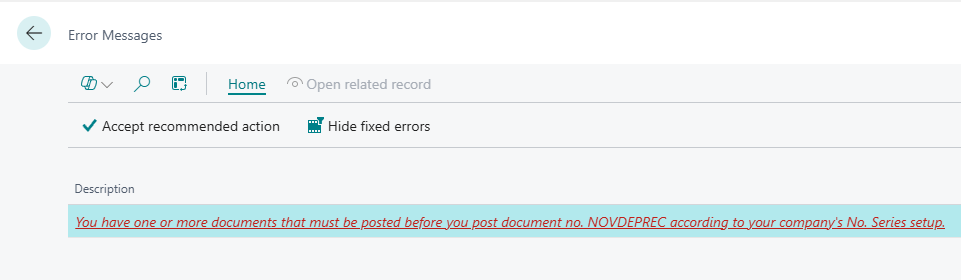
I’m unable to post the batch?
Before we discuss the solution, let’s take a closer look at the configuration.
Journal Batch Configuration
The error is giving me some clues to the issue. Part of the error is saying “according to your company’s No. series setup”. I know that a No. Series in a Journal comes from the batch itself, so let’s have a look at that.
Below is a screen shot of my “DEPRECIATO” batch when contains my journal.
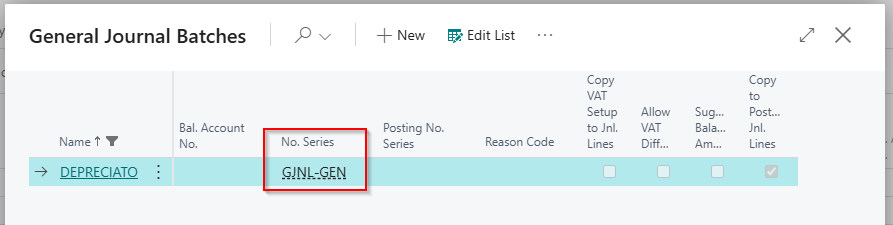
Here we can see that the batch has been assigned the No. Series “GJNL-GEN” so let’s go to the “No. Series” page and take a closer look at its configuration.
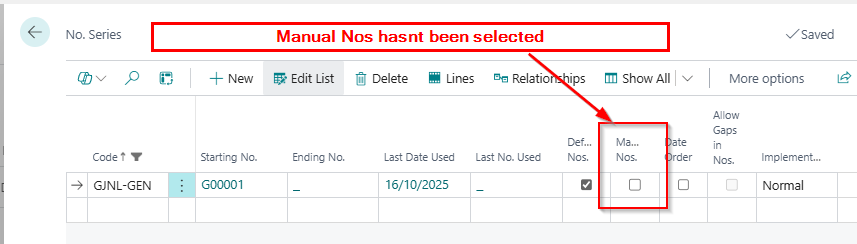
Straight away I’m seeing that “Manual No’s” has been switched OFF on the batch. This means that as this Number Series is assigned to my batch, I can’t enter my own number in journals in this batch.
Going back to my batch, I’ve explicitly given the journal my own Document Number of “NOVDEPREC”. However, as we have seen, the Number Series assigned to my batch doesn’t allow Manual No’s.
Therefore, this must be my issue 😊.
The Solutions
Now we know the issue, let’s think of some potential solutions.
Switch ON Manual Numbers on the Number Series
The most obvious solution is to go to my Number Series and switch ON manual numbers. This would enable me to use my own document number of NOVDEPREC and the journal should post.
However this means that if the number series is assigned to any other batches, users would now be able to enter their own document numbers, and this might not be a good idea.
Remove the Number Series from the Batch
I could also remove the “Number Series” from my batch. I could then use any document number I like on the journal lines.
This would be fine is this is my personal batch, and the controller is happy for manual numbers to be used on journals.
Click “Renumber Document Numbers” on the menu
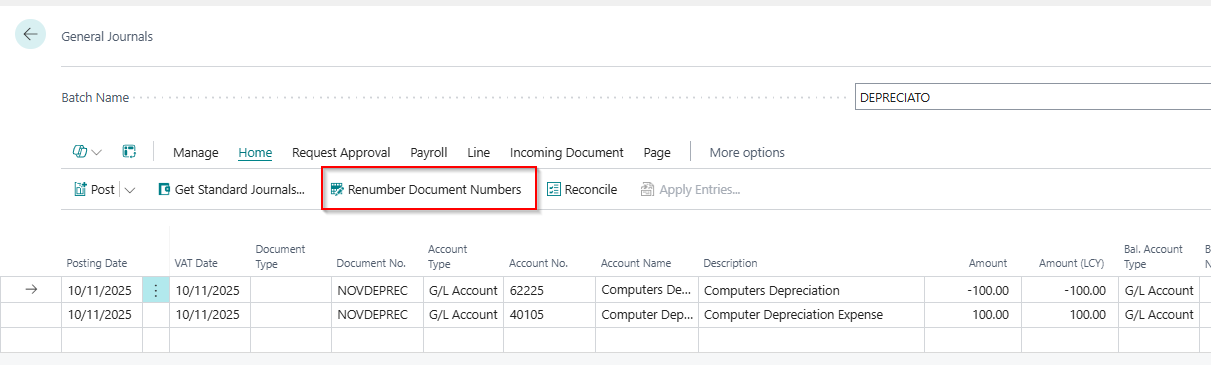
Finally, I could click “Renumber Document Numbers” from the function menu on the journal page as per below:
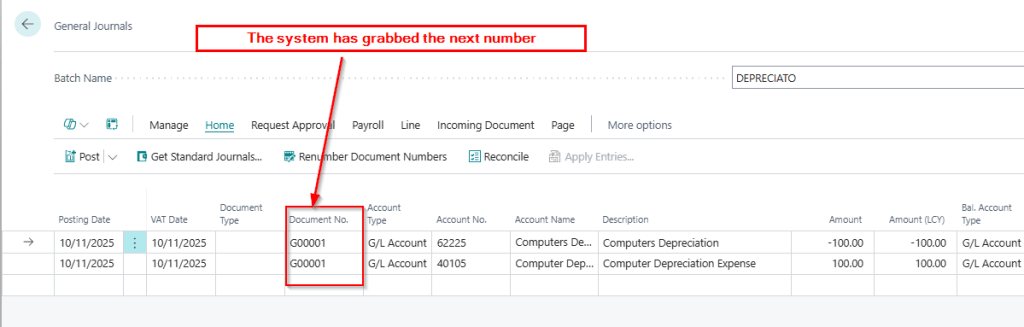
This will automatically fetch the next number from the Number Series and the batch should now post
Conclusion
This post has shown why the error “you have one or more documents that must be posted before you post document no..<docno>..according to your company’s No. Series setup” occurs, and gives a number of solutions.
I tend to use the last option when fixing this, as I assume the user what’s a sequential number for their journals. Having that configuration also ensures you always have a sequential journal number which most users want.
Thanks for reading!
 thedynamicsexplorer.com