On occasions, you may need to post a single bank ledger entry (deposit) that includes payments from multiple customers, all of which need to be applied to different transactions.
This situation is common when accepting payments from certain credit card companies, like American Express, which often batch multiple customer payments into one deposit in your bank account.
In this post, I’ll go through how to post these transactions in Business Central so your Bank Reconciliation matches your Bank Statement.
The Scenario
In this scenario, let’s say we’ve received three payments via American Express on the same day. Instead of depositing each payment individually, American Express has grouped the three payments together and deposited them into our bank account as a single total amount.
Please note that since this involves American Express, we would also need to account for any fees they deduct before depositing the total amount. However, I’ll cover how to handle those fees in a future post
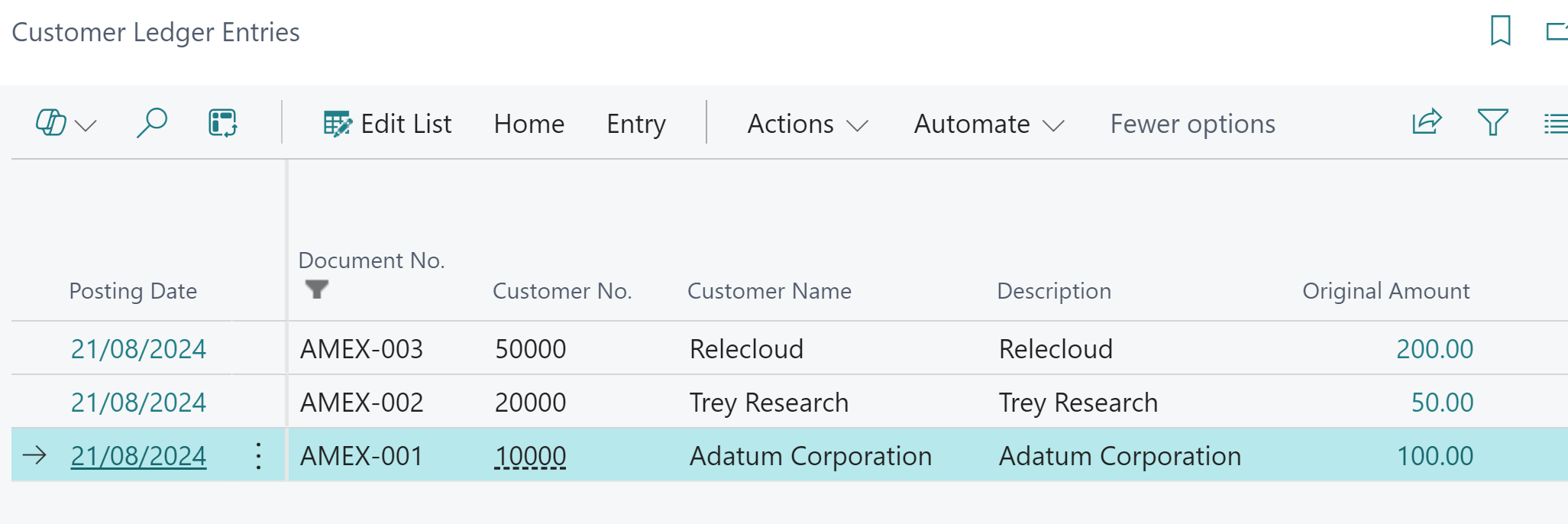
The customer ledger entries for the three Sales Invoices I’ve received payment for are detailed below. As you can see they are Sales Invoices relating to three different customers.
Posting the Cash
My goal now is to post a single bank ledger entry that matches my bank statement while still applying it to the three different customers.
There are a few ways I could do this but I’m going to use the “Cash Receipt Journal”. (the good old fashioned way 😊)
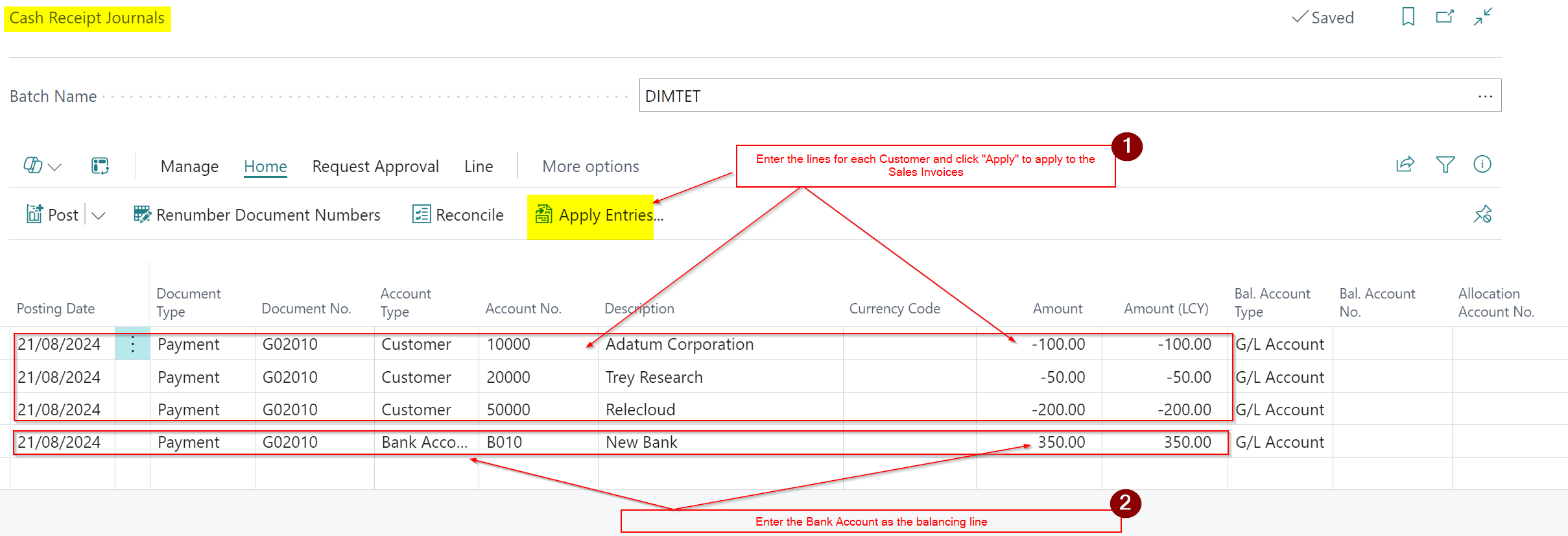
I therefore enter the cash into the Cash Receipt Journal page as per below
To summarise, in step 1, I’ve entered all three customer lines and clicked “Apply Entries” and applied to the Invoices on each individual Customer.
In step 2, I’ve then balanced these entries with a single Bank Account line for the total amount.
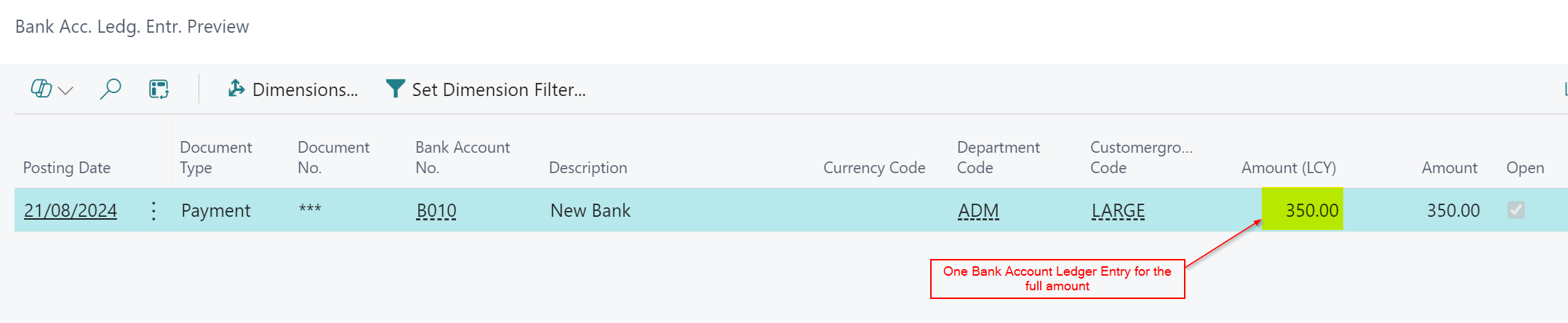
As shown below, this process has produced a single Bank Account Ledger Entry, which I can now reconcile with my bank statement, reflecting exactly how the cash was deposited into my Bank Account
Now when I come to do my bank reconciliation in the system, Business Central matches my actual Bank Statement.
Conclusion
This was a quick post showing how to apply a single Cash Receipt to multiple customers. I could have used another page called “Bank Deposit” however I choose to use the trusty “Cash Receipt Journal”.
I’ve posted this because I’ve noticed that users often manually split and post the cash separately, so hopefully this will help someone else in the future.
 thedynamicsexplorer.com